In this deep-dive from NovationTV, the Launch Control XL steps into the spotlight as a modular nerve center for DAWless rigs. Novation’s pragmatic, artist-focused approach is on full display as Dylan walks through the process of uniting disparate hardware—like Circuit Tracks and external synths—via the XL’s Custom Modes. The video isn’t just a surface-level tour of presets; it’s a workflow-centric exploration of how to architect hands-on control, map parameters, and sidestep menu-diving. For anyone obsessed with optimizing their hybrid hardware setups, this is a clear, practical demonstration of how digital control surfaces can become the backbone of creative, real-time performance.
26. March 2026
LYRA
Novation Launch Control XL: Architecting DAWless Mastery with Custom Modes
Mono Norns, Novation Circuit Tracks, Novation Launch Control XL
From Islands to Ecosystem: Launch Control XL as DAWless Hub
The video opens by addressing a familiar pain point for hardware enthusiasts: the challenge of integrating multiple devices, each with its own workflow and quirks, into a unified, playable setup. Novation positions the Launch Control XL as the solution—a controller designed not just for DAW users, but as a central command surface for DAWless environments.
Rather than forcing musicians to adapt to disparate hardware conventions, the XL offers a way to bring all the right parameters to your fingertips. This approach is especially relevant in today’s landscape of compact, feature-rich gear, where workflow fragmentation can stifle creativity. Novation’s focus here is clear: empower users to architect their own control schemes, making the hardware work for the musician, not the other way around.
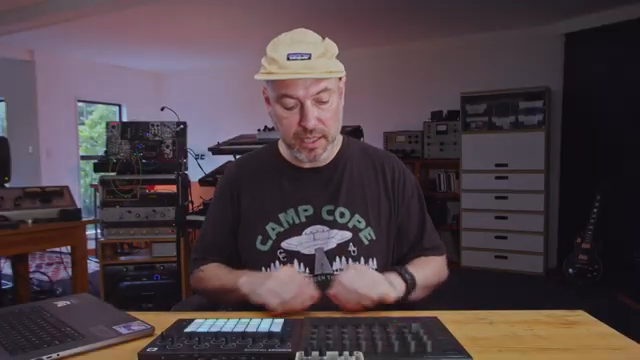
"This is where the Launch Control XL comes in."
© Screenshot/Quote: Novationtv (YouTube)
Custom Modes: Templates and Tailored Mappings
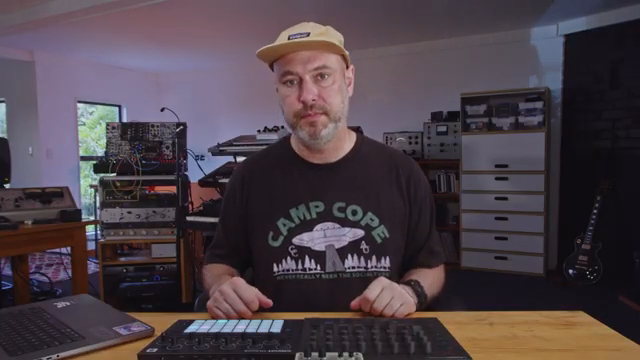
"I get a lot of hands on control and I can really work the Circuit Tracks for patterns and notes while I'm controlling the mixer from the Launch Control XL."
© Screenshot/Quote: Novationtv (YouTube)
A core feature highlighted is the Launch Control XL’s Custom Modes, which allow users to either load ready-made templates or build their own mappings from scratch. The video demonstrates loading a pre-made Circuit Tracks mixer template using Novation Components, then renaming and assigning it to a custom slot for immediate use.
From there, the process of personalizing mappings is demystified. By referencing the Circuit Tracks Programmer’s Guide, users can reassign controls—such as mapping synth filter cutoffs to specific knobs—by editing MIDI CCs and channels directly in the Components editor. This flexibility means that even complex multi-device setups can be tamed without deep menu-diving or technical headaches.
Intuitive Customization: No More Menu Diving
The video moves beyond templates, showing how to further customize the XL for hybrid setups—controlling both Circuit Tracks and external hardware like Mono Norns simultaneously. By leveraging the second MIDI output and adjusting channel assignments, users can split the XL’s controls across multiple devices, each mapped to the relevant parameters.
Color coding and naming controls in the Components software enhances the interface’s intuitiveness, making it easy to remember what each knob or fader does in a live context. The workflow is designed to minimize cognitive load: once mappings are set, real-time control is immediate and tactile, with no need to navigate submenus or remember cryptic CC numbers mid-performance.
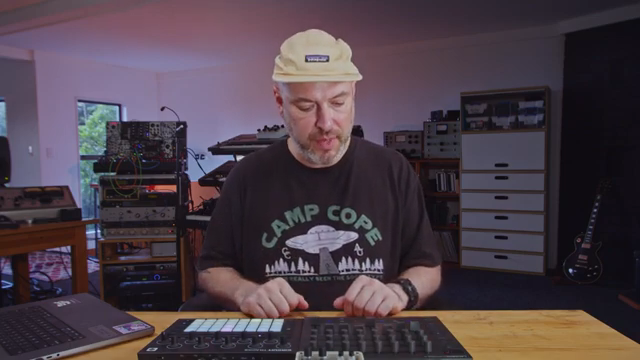
"with some simple changes to a launch control XL template, I was really easily able to create a hybrid setup that's controlling two different pieces of gear at the same time"
© Screenshot/Quote: Novationtv (YouTube)
Real-Time Control: Mixer, Effects, and Instrument Tweaks
Practical use cases are at the heart of the demonstration. The XL is shown controlling drum decay times on Circuit Tracks, with each fader mapped to a different drum channel’s decay parameter—no page switching required. This direct access enables nuanced, dynamic changes during performance, breathing life into static patterns.
The same philosophy is applied to effects and instrument tweaks. By assigning controls for reverb, delay, and filter cutoffs, the XL becomes a performance instrument in its own right, not just a passive controller. The ability to manipulate multiple parameters in real time, across different pieces of gear, is presented as a game-changer for DAWless and hybrid workflows alike.
Streamlining Creativity: Tailored Workflows for Performers
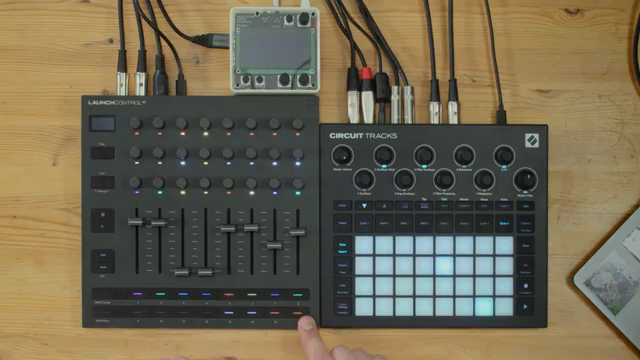
"I was punching in delay and reverb very quickly across all four drum tracks and not having to worry that when I let go, it would go back to its zero or default value."
© Screenshot/Quote: Novationtv (YouTube)
The final section spotlights the XL’s button customization, transforming them into momentary effect punch-ins for quick, expressive changes—such as sending reverb or delay to specific drum parts with a single tap. This approach allows performers to jump between precise settings instantly, further reducing reliance on encoders and faders for every action.
Novation’s demonstration underscores how the Launch Control XL can be molded to fit any workflow, whether for live improvisation or structured studio sessions. The takeaway is clear: with thoughtful mapping and a bit of setup, the XL streamlines the creative process, letting musicians focus on music rather than menu navigation or technical workarounds.
This article is also available in German. Read it here: https://synthmagazin.at/novation-launch-control-xl-dawless-architektur-mit-custom-modes-meistern/
Watch on YouTube:
Latest articles
Watch on YouTube:
Visit the channel:
https://www.youtube.com/NovationTV
https://www.youtube.com/NovationTV
Links from NovationTV:
website: https://novationmusic.com
instagram: https://instagram.com/wearenovation
twitter: https://twitter.com/WeAreNovation
facebook: https://facebook.com/NovationMusic
Sponsored links:
If you purchase via these links, we may earn a small commission – at no extra cost to you. The link opens an Amazon keyword search, and results may vary depending on availability.
Mono Norns
🔗 Check price on Amazon
🔗 Check price on Amazon
Novation Circuit Tracks
🔗 Check price on Amazon
🔗 Check price on Amazon
Novation Launch Control XL
🔗 Check price on Amazon
🔗 Check price on Amazon