Ever get stuck in loop city, building beats that never make it past the intro? MusicRadar Tech’s latest video is your ticket out. Tom Glendinning, Ableton Certified Trainer and all-around groove mechanic, shows how to flip a basic loop into a full-on arrangement using Ableton Live 12’s session view. If you’re tired of staring at the same four bars and want to get your tracks moving, this one’s for you. Expect clever shortcuts, real-world workflow, and a vibe that’s more street food than fine dining. Grab your headphones—this is where the beat comes alive.

6. December 2025
RILEY
MusicRadar Tech Flips Loops: Ableton Live 12’s Session View Gets Streetwise
Loop City Blues: Breaking Out with Ableton Live 12
You ever find yourself building a killer loop, only to realize you’re just spinning your wheels in the same eight bars? MusicRadar Tech’s Tom Glendinning knows that pain, and he’s here to show you how to turn those loops into actual tracks that slap. The video kicks off with Tom laying down the classic problem: a dope loop, but zero structure. It’s like having the world’s best burger but forgetting the bun and fries.
Tom’s approach is all about taking that raw loop energy and flipping it into a full arrangement, using Ableton Live 12’s session view as the secret sauce. Forget getting lost in endless arrangement view tweaks—this workflow is about moving fast and keeping the vibe alive. If you want to stop your beats from sounding like a broken record, this is where you start.
Session View: The Beatmaker’s Playground
Here’s where things get spicy. Tom points out that most folks sleep on Ableton’s session view, sticking to the arrangement view like it’s the only game in town. But session view? That’s your sketch pad, your beat lab, your late-night taco truck—quick, flexible, and full of flavor. It flips your tracks sideways, letting you mess with ideas at lightning speed.
Unlike arrangement view, session view lets you launch clips, jam out combinations, and try out structures without locking anything down. You can move parts back and forth, loop ‘em, and experiment until something sticks. It’s perfect for those moments when inspiration hits and you just want to see what works—no pressure, just pure groove.
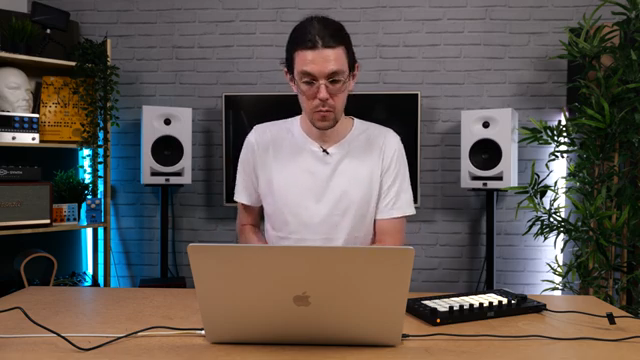
"I wanted to use this opportunity to look at something that I see a lot of people kind of neglecting in Ableton, and that is Ableton's other view, the session view."
© Screenshot/Quote: Musicradartech (YouTube)
Scenes, Shortcuts, and Street-Smart Sequencing
"The shortcut is command shift I. It's a good one to remember because you'll be using that a lot."
© Screenshot/Quote: Musicradartech (YouTube)
Now we’re cooking. Tom shows how to get your parts from arrangement view into session view—just a quick select, tab, and drop. But here’s the streetwise tip: make sure your clips are set to loop, or you’ll end up with dead air faster than a busted boombox. Double-click, check the loop, and keep it tight.
Once your clips are in session view, the real fun begins. You can trigger clips, mute them, and try out endless combos. Tom breaks down how scenes work: each row is a section of your song, and you can rename them for that pro touch. Want to build up your track section by section? Use the capture and insert scene shortcut (command shift I or control shift I). It grabs whatever’s playing and locks it into a new scene—no more copy-paste headaches.
With this trick, you can jam out different sections, swap instruments, and build your arrangement on the fly. It’s all about speed and vibe, not getting bogged down in menus. Tom’s workflow is like a live beat battle—quick moves, bold choices, and always keeping the groove front and center.
Jamming Arrangements: Live, Loose, and Lively
Ready to take it to the next level? Tom drops the ultimate hack: recording your arrangement live while jamming in session view. Instead of dragging and dropping like you’re sorting laundry, you just hit record and vibe out, letting the track build itself as you trigger scenes. It’s spontaneous, it’s fun, and it feels more like a block party than a studio grind.
You can skip sections, jump around, and capture all those happy accidents that make a track feel alive. When you’re done, just hit stop, flip back to arrangement view, and boom—your jam is now a structured track, ready for some polish. This is the kind of workflow that keeps you in the zone and out of the menu maze.
"Another kind of fun way to get these across is to actually just manually jam your arrangement on the fly and record it into the arrangement as you go."
© Screenshot/Quote: Musicradartech (YouTube)
Session View: The Fast Lane to Finished Tracks
Tom wraps it up by reminding us just how quick and painless it is to go from a basic loop to a full arrangement using session view. The real magic? You don’t need a PhD in menu diving—just a few shortcuts and a willingness to jam. If you want to see the real sauce—like how those scenes sound and how the workflow feels in action—you gotta watch the video. Trust me, some things hit harder when you hear ‘em.
This article is also available in German. Read it here: https://synthmagazin.at/musicradar-tech-macht-aus-loops-tracks-ableton-live-12-session-view-auf-der-ueberholspur/
Watch on YouTube:
Latest articles
Watch on YouTube:
Visit the channel:
https://www.youtube.com/MusicRadarTech
https://www.youtube.com/MusicRadarTech
Links from MusicRadarTech:
website: https://www.musicradar.com
instagram: https://www.instagram.com/musicradartech
Sponsored links:
If you purchase via these links, we may earn a small commission – at no extra cost to you. The link opens an Amazon keyword search, and results may vary depending on availability.
Ableton Live 12
🔗 Check price on Amazon
🔗 Check price on Amazon