Moog Music’s official channel takes us on a guided tour of the Muse sequencer, revealing its knack for both straightforward pattern building and deep compositional flexibility. In this video, the basics of sequence creation, navigation, and editing are demonstrated with a clear focus on hands-on workflow. True to Moog’s tradition, the presentation is practical, patch-oriented, and peppered with details that will interest anyone who cares about real-world sequencing in a modern setup. Whether you’re after quick mono lines or complex, bi-timbral arrangements, Muse’s sequencer shows its potential as a central brain for creative exploration.
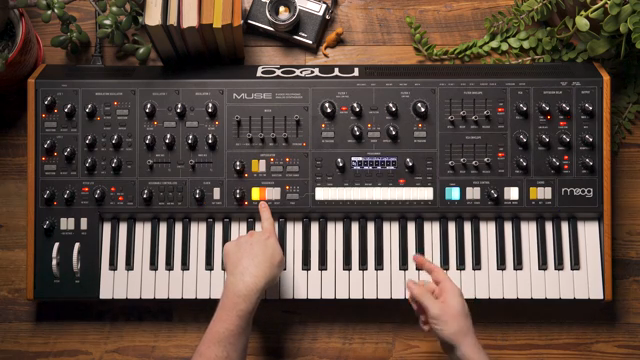
Meet Muse: Sequencer at the Core
The video opens with a focused introduction to Muse, positioning it as a sequencer designed for building musical ideas from the ground up. Moog’s approach here is direct: the sequencer is not just an add-on, but the heart of the workflow, inviting users to construct and manipulate patterns with immediacy.
From the outset, the emphasis is on practical use rather than abstract features. The demonstration begins with a simple patch, highlighting how Muse’s sequencer can serve as the backbone for both experimentation and structured composition. This sets the tone for a hands-on exploration of what the sequencer actually enables in a patching context.
Sequence Navigation: Banks and Beyond
Navigating Muse’s sequencer is a matter of pressing the SEQ button to access the current bank’s 16 sequences, with the added ability to switch between 16 banks. This results in a total capacity of 256 sequences, a figure that should satisfy even the most prolific modular scribblers.
The workflow is designed for speed: tempo and clock division are stored per sequence and can be adjusted on the fly. The video demonstrates how these parameters are immediately visible and tweakable, making it easy to audition and adapt patterns as you move through your stored material.

"So you can store a total of 256 sequences inside of Muse."
© Screenshot/Quote: Moogsynthesizers (YouTube)
Overdubbing, Tempo, and Real-Time Tweaks
"Anytime I play a note it will replace all of the note data on the current step wherever the playhead is located."
© Screenshot/Quote: Moogsynthesizers (YouTube)
Muse’s sequencer shines when it comes to live programming. The REC button arms the sequencer for note entry, and with the bi-timbral architecture, you can allocate sequences to either timbre for multi-track layering. The video shows how notes can be entered step by step or replaced in real time while the sequence plays—ideal for evolving patterns on the fly.
Overdubbing is handled by holding SHIFT and pressing REC, putting the sequencer into a mode where new notes are added rather than replaced. The presenter demonstrates how chords and additional lines can be layered without interrupting playback, and how mistakes can be undone with a simple button combo. The tempo can be dialed in at any point, keeping the workflow fluid and responsive.
STEP View: Deep Editing, Simple Flow
The STEP view is where Muse’s sequencer reveals its depth. Each step can be selected and edited, with tabs for notes, gate lengths, velocities, timing, and timbre allocation. This granular control allows for intricate pattern shaping without menu-diving or losing sight of the musical flow.
The video demonstrates how you can replace or add notes to specific steps, including building chords by holding notes down. Overdubbing works even when stopped, letting you refine sequences at your own pace. The workflow is clearly designed for both quick sketches and detailed composition, making it easy to iterate and experiment.
A Sequencer for Every Scenario
In the closing moments, the video positions Muse’s sequencer as a tool equally at home with simple mono lines or complex, probability-driven arrangements. The presenter hints at features like step length adjustment, sequence chaining, and various probability modes, suggesting a depth that extends well beyond the basics covered here.
Moog’s presentation makes it clear: Muse is not just about storing patterns, but about enabling a creative workflow that can scale from quick ideas to full compositions. As always, the real test will be how these features integrate into a wider modular or desktop setup, but the fundamentals shown here are robust and inviting.
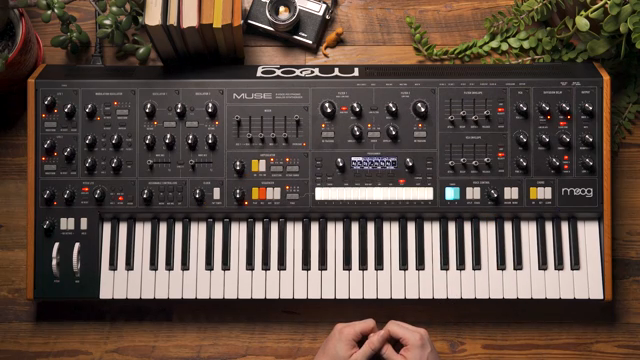
"The sequencer is a really deep compositional tool to use when working with Muse."
© Screenshot/Quote: Moogsynthesizers (YouTube)
This article is also available in German. Read it here: https://synthmagazin.at/moog-music-muse-sequencer-grundlagen-entschluesselt/
Watch on YouTube:
Latest articles
Watch on YouTube:
Visit the channel:
https://www.youtube.com/MoogSynthesizers
https://www.youtube.com/MoogSynthesizers
Links from MoogSynthesizers:
website: https://moogmusic.com
instagram: https://instagram.com/moogsynthesizers
facebook: https://www.facebook.com/moogmusicinc
twitter: https://twitter.com/moogmusicinc
Sponsored links:
If you purchase via these links, we may earn a small commission – at no extra cost to you. The link opens an Amazon keyword search, and results may vary depending on availability.
Muse
🔗 Check price on Amazon
🔗 Check price on Amazon