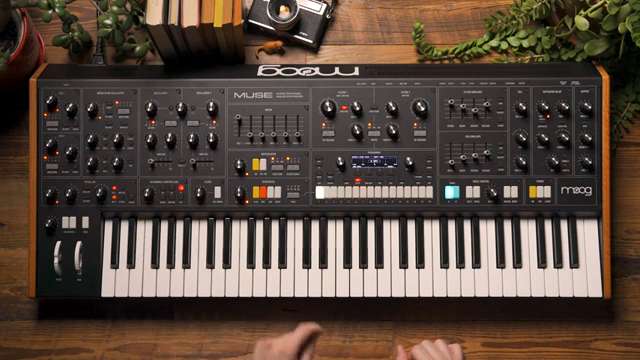
Moog Music’s Muse steps into the spotlight as a digital synthesizer designed for fast, creative modulation workflows. In this official Moog demo, the focus is on the front panel’s quick assign buttons, which promise to turn complex modulation routings into a matter of seconds—no menu diving required. The video walks through assigning aftertouch to vibrato depth, exploring the modulation map, and applying expressive functions like slew, all from an initialized patch. For those who crave modular flexibility but demand immediacy, Muse’s architecture and hands-on controls offer a compelling hybrid approach. Let’s break down how Moog’s latest instrument bridges deep sound design with real-time playability.
2. August 2024
LYRA
Moog Music Muse: Quick Assign Modulation—A Digital Modular Playground in Minutes
Muse: Modulation at Your Fingertips
The Moog Muse is introduced as a synthesizer built for creative sound design, with a particular emphasis on rapid modulation assignment. The video highlights the abundance of quick assign buttons scattered across the panel, each corresponding to common modulation sources such as envelopes, LFOs, and assignable controllers. This design is intended to keep users in the creative flow, allowing them to build patches and experiment with modulation without being bogged down by menu navigation or complex routing screens.
By starting with an initialized patch—a single sawtooth oscillator, wide-open filter, and a touch of release—the presenter sets the stage for immediate sound shaping. The quick assign workflow is positioned as a way to encourage experimentation, making it easy to try out modulation ideas on the fly. For digital synth enthusiasts, this approach promises a blend of modular flexibility and hands-on immediacy, right from the front panel.

"This can be a nice way to not interrupt that flow."
© Screenshot/Quote: Moogsynthesizers (YouTube)
Quick Assign in Action: Aftertouch Meets Vibrato
"Now what that does on the screen is it brings up the modulation quick assign view."
© Screenshot/Quote: Moogsynthesizers (YouTube)
The demonstration begins with a simple goal: use aftertouch to control vibrato depth via the pitch LFO. The process is straightforward—first, assign oscillator 1 and 2 to the pitch LFO, then use the aftertouch quick assign button to initiate the modulation assignment. The panel prompts the user to select the destination parameter, in this case, the amount knob in the pitch LFO section.
By turning the knob and confirming the assignment, aftertouch is now mapped to vibrato depth. The video makes clear that this can be done without ever opening the mod map, keeping the workflow fluid. The result is immediate: pressing harder on the keys introduces vibrato, freeing the performer from manual knob turns. This hands-on approach exemplifies how Muse’s quick assign system can streamline expressive sound design.
Mod Map: Precision Editing and Fine-Tuning
Once a quick assign is made, the modulation routing is instantly visible in the mod map, Muse’s central hub for modulation management. Here, users can see the source (aftertouch), destination (pitch LFO amount), and the exact modulation depth set during assignment. This transparency is crucial for those who want to tweak or audit their routings after the fact.
Fine-tuning is equally accessible: adjusting the modulation depth is as simple as selecting the relevant box and using the panel controls. For even more precision, holding the shift button enables fine value changes, allowing users to dial in subtle variations. This dual approach—quick assignment for speed, mod map for detail—caters to both spontaneous creativity and meticulous editing.

"Now if I want to do fine value changes I can hold the shift down and that will let me make fine adjustments."
© Screenshot/Quote: Moogsynthesizers (YouTube)
Slew Functions: Smoothing the Expressive Curve
The video next explores how Muse’s modulation system can be enhanced using transfer functions like slew. By navigating to the function box in the mod map, users can select slew and determine whether it applies to the source, the controller, or both. This flexibility allows for nuanced control over how modulation is applied.
Setting the slew value introduces a gradual onset and release to the vibrato when aftertouch is engaged or released. The higher the slew value, the slower the modulation responds, resulting in a more organic, expressive feel. This feature is particularly valuable for performers seeking to avoid abrupt modulation changes and instead craft evolving, dynamic textures directly from the keyboard.
Digital Modular Depth: Timbral Layers and Modulation Slots
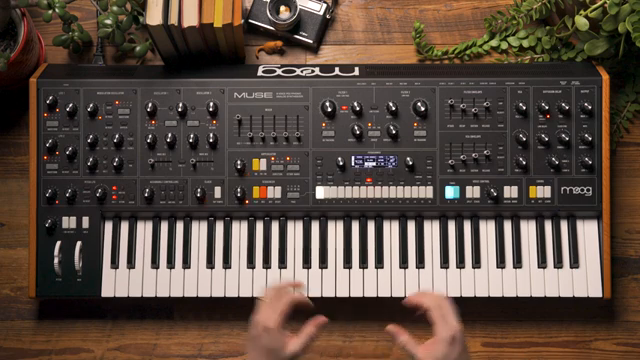
"Muse into something that feels like a digital modular synthesizer."
© Screenshot/Quote: Moogsynthesizers (YouTube)
Muse’s architecture supports two timbres per patch, with each timbre offering up to 16 modulation slots. This means users can construct highly intricate modulation networks, rivaling the flexibility of a digital modular system—all within a single patch. The video emphasizes that every modulation slot can be quickly assigned or deeply edited, accommodating both fast workflows and detailed sound design.
For those who want to focus on performance or rapid prototyping, the quick assign buttons provide instant gratification. For users who crave complexity, the mod map and multiple timbres open the door to sophisticated, evolving soundscapes. Muse’s design philosophy is clear: offer modular-level depth without sacrificing immediacy or playability.
This article is also available in German. Read it here: https://synthmagazin.at/moog-music-muse-quick-assign-modulation-ein-digitales-modular-paradies-in-minuten/
Watch on YouTube:
Latest articles
Watch on YouTube:
Visit the channel:
https://www.youtube.com/MoogSynthesizers
https://www.youtube.com/MoogSynthesizers
Links from MoogSynthesizers:
website: https://moogmusic.com
instagram: https://instagram.com/moogsynthesizers
facebook: https://www.facebook.com/moogmusicinc
twitter: https://twitter.com/moogmusicinc
Sponsored links:
If you purchase via these links, we may earn a small commission – at no extra cost to you. The link opens an Amazon keyword search, and results may vary depending on availability.
Moog Muse
🔗 Check price on Amazon
🔗 Check price on Amazon