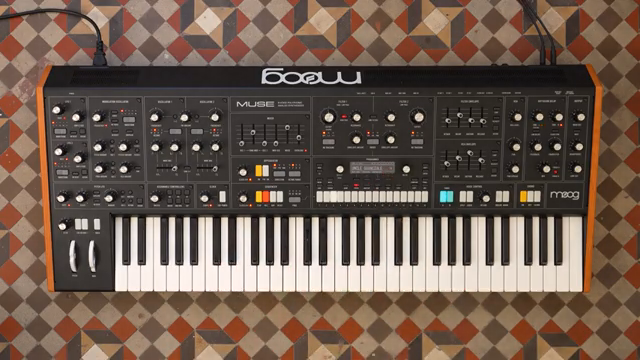
Moog Music’s Muse steps boldly into the bi-timbral arena, offering two fully independent sound layers per patch and a host of voice allocation tricks. In this official Moog demo, the focus is squarely on how Muse’s architecture empowers creative split, stack, and dynamic voice management workflows. From real-time voice allocation to flexible keyboard splits and per-timbre configuration, the video walks through the practical and architectural implications of Muse’s dual-engine design. If you’re curious about how Muse handles layering, splits, and voice distribution in a modern analog context, this is a deep dive worth your attention.
2. August 2025
LYRA
Moog Music Muse: Bitimbrality Unleashed – Exploring Dual Layers, Splits, and Stacks
Two Minds, One Muse: Bi-timbrality at the Core
Moog Music introduces Muse as a bi-timbral synthesizer, meaning every patch contains two independent timbres—A and B—ready for action at any time. Each timbre is its own sonic universe, with separate panel controls, menu settings, and modulation maps, allowing for true independence in sound design and performance.
This dual-layer approach isn’t just a technical flourish; it’s a workflow enabler. The video highlights how having two fully independent sound engines per patch opens up creative territory, whether you’re designing evolving textures or prepping for complex live sets. Muse’s architecture encourages users to think in layers, with each timbre offering its own character and modulation possibilities.
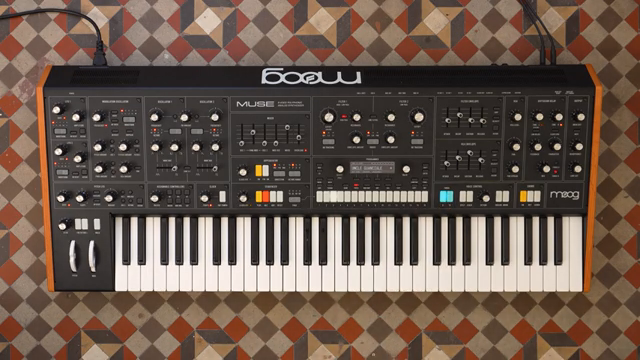
"Timbres are completely independent sounds with their own panel settings, their own more menu settings and their own mod maps."
© Screenshot/Quote: Moogsynthesizers (YouTube)
Voice Allocation: Eight Cards, Infinite Flexibility
"You can see the currently activated voices in real time as you're playing."
© Screenshot/Quote: Moogsynthesizers (YouTube)
At the heart of Muse’s bi-timbral power lies its eight independent analog voice cards. The video demonstrates how these voices can be dynamically allocated to either timbre A or B, depending on your patch and performance needs. When playing with timbre A selected, all eight voices are available to that layer; switch to timbre B, and the same polyphony is instantly reassigned.
This real-time voice allocation is visualized on the interface, letting users see which voices are active as they play. The flexibility to let notes from one timbre ring out while switching to another is particularly useful in performance scenarios, enabling seamless transitions and layered textures without voice-stealing or abrupt cutoffs.
Splitting the Keyboard: Assigning Timbres with Precision
One of Muse’s standout features is its split functionality, which allows users to assign timbre A and B across different zones of the keyboard. In the demo, timbre A is set up as a bass sound on the left, while timbre B takes on a pad role on the right. The split point defaults to middle C but can be adjusted in the voice control module’s menu, giving players the flexibility to tailor the keyboard layout to their needs.
This split approach is ideal for live performance and complex arrangements, letting you play bass and pads—or any two sounds—simultaneously with independent control. Muse ensures that timbre A always occupies the left of the split point and timbre B the right, making the workflow predictable and musically intuitive.
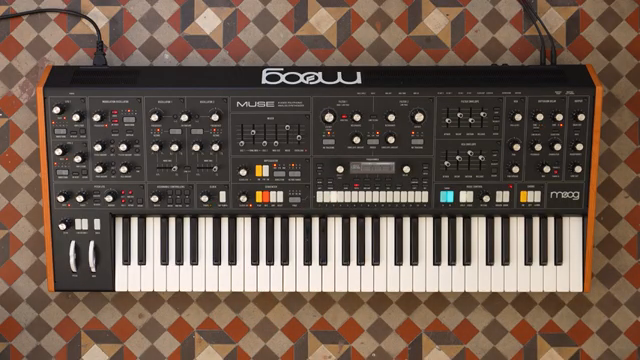
"Timbre A is always on the left of the split point, and timbre B is always on the right of the split point."
© Screenshot/Quote: Moogsynthesizers (YouTube)
Swapping Timbres and Custom Voice Counts: Dynamic Control in Action
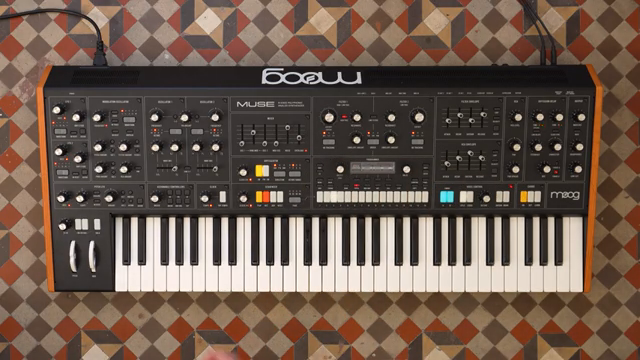
"So I can set timbre A to only one voice, leaving seven voices for timbre B."
© Screenshot/Quote: Moogsynthesizers (YouTube)
The video highlights Muse’s ability to swap timbre settings with a single menu selection—a handy feature when your sound design process leads you to flip roles between layers. If your pad morphs into a bass and vice versa, swapping timbres keeps your workflow fluid without manual reprogramming.
Beyond swapping, Muse allows for deep per-timbre configuration. The arpeggiator, for example, can be activated for just one timbre, letting you arpeggiate a bass while playing chords on the pad. Even performance controls like pitch wheel depth are assignable per timbre, or can be adjusted for both simultaneously, offering nuanced control for expressive playing.
Crucially, Muse lets you set strict voice counts for each timbre. If you want just one or two voices for a bass and the rest for a pad, you can allocate voices accordingly. With dynamic voice allocation turned off, these settings become rigid, ensuring that your polyphony is distributed exactly as you intend—an essential tool for balancing complex patches.
Stacking Up: Layered Timbres and Voice Management
Stack mode is where Muse’s bi-timbral design flexes its muscles, allowing both timbres to be layered on top of each other for rich, composite sounds. The video demonstrates how stacking can be combined with voice count restrictions to create intricate soundscapes without sacrificing polyphony where it matters most.
For example, layering synth keys with sound effects is made practical by limiting the sound effect timbre to a single voice, freeing up the remaining voices for the main layer. This approach keeps the overall sound lush and playable, while preventing unnecessary voice allocation to secondary textures. Muse’s architecture makes these advanced configurations straightforward, supporting both sound design exploration and performance reliability.
This article is also available in German. Read it here: https://synthmagazin.at/moog-music-muse-bitimbralitaet-entfesselt-zwei-layer-splits-und-stacks-im-fokus/
Watch on YouTube:
Latest articles
Watch on YouTube:
Visit the channel:
https://www.youtube.com/MoogSynthesizers
https://www.youtube.com/MoogSynthesizers
Links from MoogSynthesizers:
website: https://moogmusic.com
instagram: https://instagram.com/moogsynthesizers
facebook: https://www.facebook.com/moogmusicinc
twitter: https://twitter.com/moogmusicinc
Sponsored links:
If you purchase via these links, we may earn a small commission – at no extra cost to you. The link opens an Amazon keyword search, and results may vary depending on availability.
Moog Muse
🔗 Check price on Amazon
🔗 Check price on Amazon