Moog Music steps into the modulation spotlight with Messenger, a synthesizer that’s clearly designed for those who like their signal paths tangled and their sound design options deep. In this official demo, Moog walks us through Messenger’s modulation assignment workflow, from classic LFO routings to more esoteric sources like aftertouch and keyboard sample & hold. The video is a methodical tour of how modulation can be sculpted and reassigned, showing both the hands-on immediacy and the hidden depths lurking in the settings menu. For anyone curious about how Messenger fits into a modular-minded workflow, this is a revealing and patch-focused look at what’s under the hood.
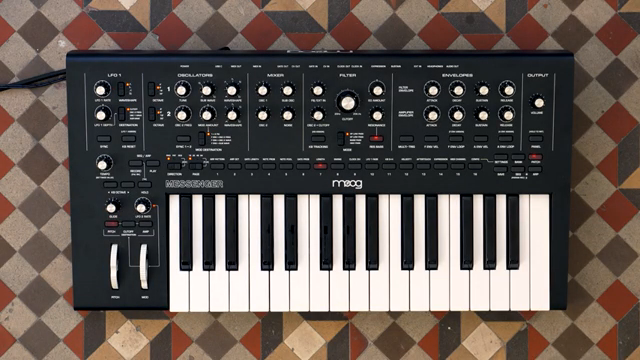
Messenger: Modulation Playground
Messenger is introduced as a synthesizer with a strong emphasis on modulation, offering a playground for those who enjoy shaping and warping sound. The video opens by highlighting the presence of two LFOs, each with their own character and routing options, setting the stage for a deep dive into modulation possibilities.
Moog Music positions Messenger as a tool for serious sound design, with modulation points scattered across the panel and additional sources tucked away in the settings menu. This approach caters to users who want immediate hands-on control but also crave the ability to dig deeper when inspiration strikes.
LFOs at the Helm: Shaping Sound
The demo walks through Messenger’s two LFOs, each serving distinct roles in the modulation ecosystem. LFO1 stands out with its variable wave shapes and direct panel routing, making it easy to target destinations like oscillator wave shape or filter resonance by simply selecting the destination and dialing in the modulation depth.
LFO2, on the other hand, is tied to the modulation wheel and offers a triangle wave that can be sent to pitch, cutoff, amplitude, or any combination thereof. This dual-LFO setup allows for layered, evolving modulation, giving users the flexibility to animate multiple aspects of their patch simultaneously.
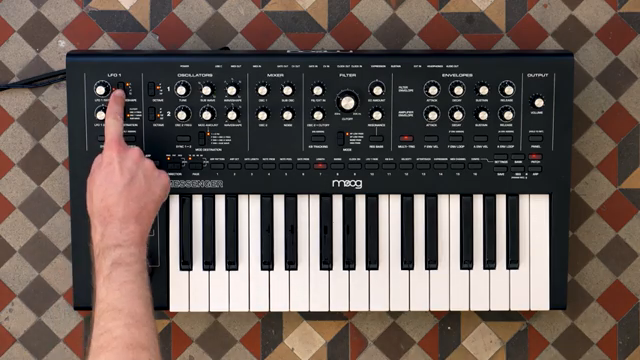
"LFO1 has variable wave shapes and can be routed to multiple destinations directly on the panel."
© Screenshot/Quote: Moogsynthesizers (YouTube)
Beyond LFOs: Aftertouch, Velocity, and More
"These are keyboard sample and hold, velocity, aftertouch, and the expression pedal."
© Screenshot/Quote: Moogsynthesizers (YouTube)
Messenger doesn’t stop at classic LFO modulation. The video demonstrates how users can tap into additional sources like keyboard aftertouch and velocity, accessed via the settings menu. These sources can be assigned to parameters such as filter cutoff, opening up expressive performance possibilities.
Assigning aftertouch, for example, is as simple as entering the settings mode, selecting aftertouch, and moving the desired parameter control. The system visually indicates modulation depth, and users can choose both positive and negative modulation, further expanding the creative palette.
Modulation Assign Buttons: Routing with Precision
A key feature of Messenger’s modulation system is the use of assign buttons, which are clearly marked across the panel. The video shows how holding an assign button until it flashes allows you to select a destination by moving a control, such as resonance or feedback. The 1 through 16 buttons then light up to indicate modulation depth, making the process both visual and intuitive.
This workflow is demonstrated with practical examples: assigning LFO1 to filter resonance, and routing the filter envelope to modulate mixer feedback. Each assignment is confirmed either by pressing the blinking button or simply waiting a few seconds, ensuring that the process is quick and doesn’t interrupt creative flow.
Moog’s approach here balances hands-on immediacy with flexibility, allowing for deep patching without menu-diving. The assign system encourages experimentation, making it easy to try unconventional routings and discover new textures.
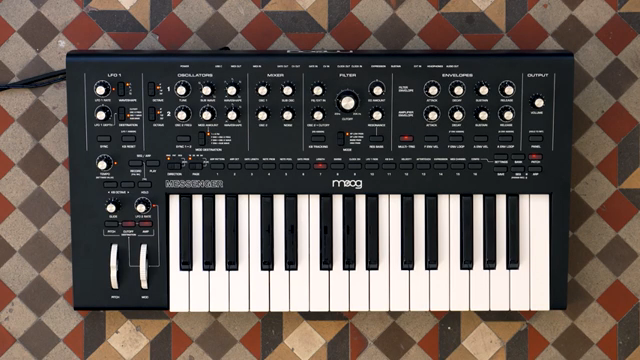
"You can assign LFO1 here, the keyboard, the filter envelope or amplitude envelope, and there are a handful of other modulation sources found in the settings menu."
© Screenshot/Quote: Moogsynthesizers (YouTube)
Randomness Unleashed: Keyboard Sample & Hold
The video rounds out its tour with a look at the keyboard sample and hold (KB S+H) feature, a nod to those who enjoy a bit of unpredictability in their patches. Each key press generates a new random voltage, which can be routed to destinations like filter cutoff for evolving, organic modulation.
This function is particularly useful for injecting controlled chaos into a patch, allowing for timbral shifts and rhythmic variation that respond to performance gestures. It’s a classic modular trick, now built directly into Messenger’s architecture.
This article is also available in German. Read it here: https://synthmagazin.at/moog-music-messenger-modulationszuweisungen-entmystifiziert/
Watch on YouTube:
Latest articles
Watch on YouTube:
Visit the channel:
https://www.youtube.com/MoogSynthesizers
https://www.youtube.com/MoogSynthesizers
Links from MoogSynthesizers:
website: https://moogmusic.com
instagram: https://instagram.com/moogsynthesizers
facebook: https://www.facebook.com/moogmusicinc
twitter: https://twitter.com/moogmusicinc
Sponsored links:
If you purchase via these links, we may earn a small commission – at no extra cost to you. The link opens an Amazon keyword search, and results may vary depending on availability.
Moog Messenger
🔗 Check price on Amazon
🔗 Check price on Amazon