Make Noise’s MultiWAVE module takes a digital deep dive into timbral modulation, harnessing a MultiMod-styled LFO to animate wavetables across two oscillators. In this official walkthrough, the Asheville-based experimentalists demonstrate how their signature modulation architecture translates into hands-on sound design, with a focus on independent shapes, modulation speeds, and advanced page 2 options. If you’re curious about how digital LFOs can sculpt complex sonic movement—or how Make Noise’s workflow philosophy manifests in their latest module—this video offers a precise, architecture-driven look at the MultiWAVE’s modulation engine.
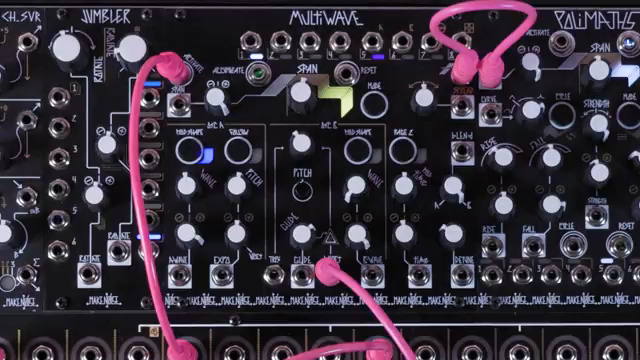
A Dual-Oscillator Playground for MultiMod LFOs
MultiWAVE’s core innovation lies in its integration of a MultiMod-styled LFO, designed specifically for timbral modulation by scanning through wavetables. This LFO is not just a generic modulation source—it’s architected to read the currently selected wavetable, offering a direct path to dynamic sound shaping.
What sets this approach apart is its dual-oscillator implementation: both Oscillator A and Oscillator B receive their own MultiMod LFO, allowing for parallel or contrasting timbral movement. This duality opens up a versatile sound design environment, where each oscillator can be animated independently or in tandem, depending on the user’s creative intent.
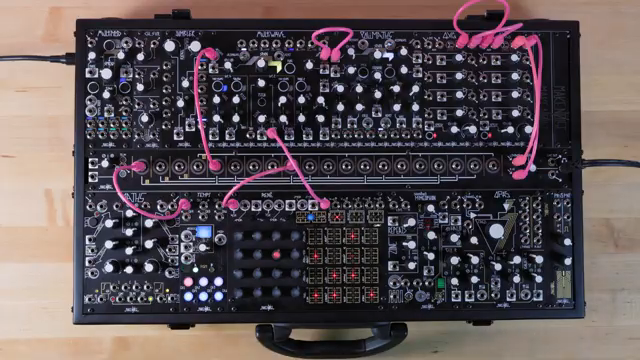
"MultiWave contains a multimod-styled LFO, which reads through the currently selected wavetable for timbre modulation."
© Screenshot/Quote: Maken0Isemusic (YouTube)
Independent Shapes, Unified Timing: ModTime and ModShape in Action
"Modulation shapes can be set independently per oscillator, with the ModTime panel control setting the speed of modulation for both."
© Screenshot/Quote: Maken0Isemusic (YouTube)
One of the MultiWAVE’s workflow strengths is the ability to set modulation shapes independently for each oscillator. The ModShape button for both Oscillator A and B lets users select the specific LFO curve that will animate the wavetable position, enabling nuanced layering or sharp contrast between the two voices.
Despite this independence in shape selection, modulation speed is globally managed via the ModTime panel control. This means both oscillators share a unified tempo for their LFOs, though per-voice variation is possible through spread or modulation dissemination. The result is a system that balances flexibility with performance-friendly simplicity.
Wavetable Scanning: From Ramp to Random, a Palette of Modulation Shapes
MultiWAVE’s modulation palette is impressively broad, offering a range of shapes that each impart distinct motion to the wavetable scan. The Ramp shape, highlighted by a red color, provides a straightforward forward read through the table—ideal for classic sweeping effects. In contrast, the Green sawtooth shape reverses the scan, while the Blue triangle (or ping pong) alternates direction for a more complex, bidirectional movement.
The Purple sine shape mimics the triangle’s path but introduces a slowdown at the extremes, yielding a more organic, breathing modulation. Pink staircase steps discretize the scan into 32 intervals, perfect for stepped or sequenced timbral changes. For those seeking unpredictability, Orange delivers stepped random access, and Yellow offers smooth random movement, each introducing stochastic elements into the sound.
This diversity of shapes, all selectable per oscillator, empowers users to explore everything from rhythmic, repeatable sweeps to chaotic, evolving textures—an approach that fits Make Noise’s ethos of open-ended sonic exploration.
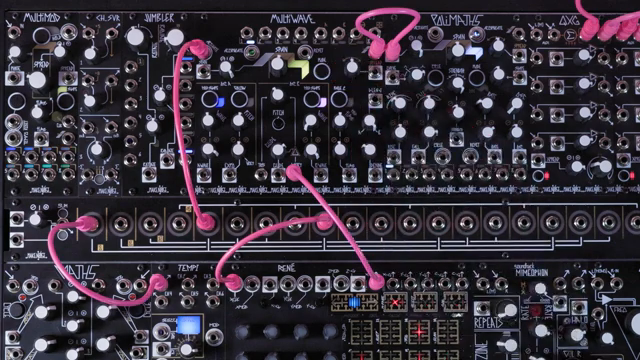
"Pink is a staircase, which reads like the ramp shape, but instead of a continuous read, it jumps to 32 discrete steps, which allow for stepped wavetable scanning."
© Screenshot/Quote: Maken0Isemusic (YouTube)
Page 2: Advanced Mod Region and Reset Modes
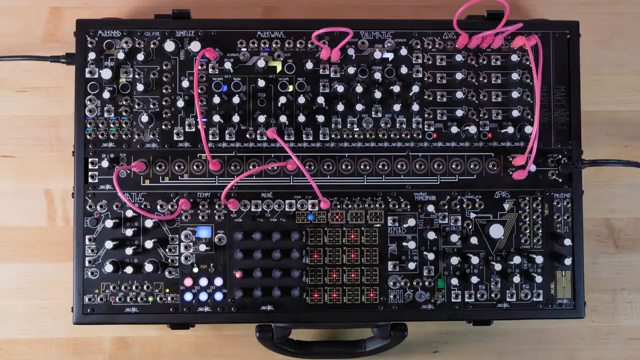
"The multi-mod within multi-wave contains deeper levels of functionality as well, which can be found on page 2."
© Screenshot/Quote: Maken0Isemusic (YouTube)
Beyond its surface controls, MultiWAVE conceals deeper architectural options on Page 2. Here, users can redefine how the wavetable is read: the Mod Region setting determines whether scanning occurs from the current wave position to the end, or from the beginning to the selected position. This subtle distinction can dramatically affect the resulting timbre and motion.
Reset modes for each oscillator are also managed here, with options for free running, reset per activation, and one-shot operation. These are accessed via the ModShape buttons, with clear LED feedback for each mode. Such options extend the module’s flexibility, allowing for both continuous and event-driven modulation schemes.
Further Learning: Deep Dives and Dedicated Resources
For users eager to master every nuance of MultiWAVE’s modulation engine, Make Noise provides dedicated video resources covering advanced Page 2 settings and modulation strategies. These supplementary materials are easily accessible via playlist links and the video description, ensuring that deep architectural exploration is just a click away.
This article is also available in German. Read it here: https://synthmagazin.at/maken0ise-multiwave-multimod-lfo-architektur-fuer-tiefe-klangmodulation/
Watch on YouTube:
Latest articles
Watch on YouTube:
Visit the channel:
https://www.youtube.com/MAKEN0ISEMUSIC
https://www.youtube.com/MAKEN0ISEMUSIC
Links from MAKEN0ISEMUSIC:
website: https://www.makenoisemusic.com
instagram: https://www.instagram.com/makenoisemusic
twitter: https://twitter.com/makenoisemusic
facebook: https://www.facebook.com/makenoiseco
Sponsored links:
If you purchase via these links, we may earn a small commission – at no extra cost to you. The link opens an Amazon keyword search, and results may vary depending on availability.
MultiWAVE
🔗 Check price on Amazon
🔗 Check price on Amazon