Lodewijk Vos (LØ) dives headfirst into the Melbourne Instruments Roto-Control—a controller that promises to drag your DAW workflow out of the mouse-clicking dark ages. Forget wrappers, forget proprietary nightmares, and forget babying your gear. LØ’s no-fluff, composer-first approach slices through the hype to see if motorised knobs and direct plugin control actually make a difference. If you’re sick of controllers that collect dust or die with the next software update, this review is your rave bunker briefing. Spoiler: this thing might just slap.

25. November 2025
SPARKY
Lodewijk Vos and the Roto-Control: DAW Domination or Just Another Gimmick?
Motorised Mayhem: Roto-Control’s Bold Entrance
The Melbourne Instruments Roto-Control doesn’t tiptoe into the DAW controller scene—it kicks the door in with motorised knobs and a promise of direct plugin control. Lodewijk Vos wastes no time laying out his controller baggage: from hulking, expensive surfaces that became obsolete overnight to the eternal pain of proprietary lock-in. He’s been burned before, and he’s not shy about it. The Roto-Control, on first glance, looked like another gimmick—until those motorised knobs snapped to plugin values and brought back the tactile magic of flying faders.
What sets the Roto-Control apart is its refusal to play the wrapper game. Vos is clear: he’s done with controllers that trap you in software layers or force you to babysit your workflow. The Roto doesn’t host your plugins, doesn’t wrap them, and doesn’t risk your session stability. It’s thin, light, and always ready for action, sitting right in the sweet spot between your monitors. For anyone who’s ever lost a session to a broken wrapper or a dead controller, this is the stuff of dreams—or at least, a decent night’s sleep.
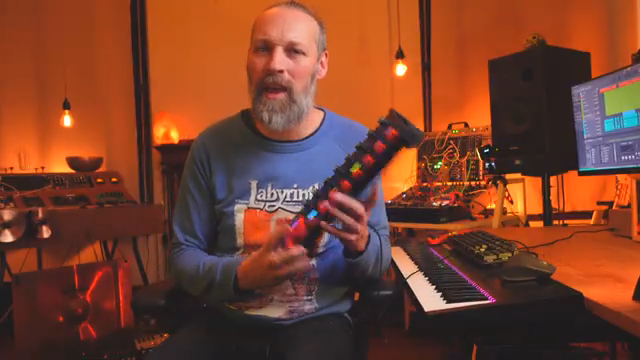
"But this thing genuinely changed how I mix, how I shape my sounds."
© Screenshot/Quote: Lodewijkvos (YouTube)
Plug-and-Play, Minus the Pain
"It does not run a wrapper. It does not trap your sessions. It just reads what your DAW is already doing."
© Screenshot/Quote: Lodewijkvos (YouTube)
The Roto-Control’s setup is refreshingly simple. Forget the days of wrestling with scripts, wrappers, or proprietary nonsense. Vos shows how the Roto reads what your DAW is already doing—no extra layers, no plugin babysitting. If the controller dies, your session lives on. That’s a rare kind of peace of mind in controller land.
Mapping is a breeze, too. Whether you’re in Bitwig or Cubase, the Roto’s modes let you jump between MIDI, plugin, and mix control with a couple of button presses. The tactile feedback and zero indent on the knobs make it easy to find your sweet spot without staring at the screen. It’s the kind of workflow boost that makes you wonder why everyone else is still faffing about with wrappers and scripts.
Tactile Takeover: Mixing and Sound Shaping in the Real World
Here’s where the Roto-Control earns its keep. Vos dives into hands-on examples—EQ, compression, synths—showing how the controller turns mixing into a two-handed, musical affair. No more one-click-at-a-time mouse drudgery. The motorised knobs let you slam thresholds, sweep frequencies, and tweak attack and release all at once, just like the old hardware days. It’s not just about speed; it’s about intent and feel.
The plugin mode is a standout. Jump between plugins, A/B them, and tweak parameters with a physicality that’s impossible with a mouse. The Roto adapts to each plugin’s quirks, with endless rotaries, stepped switches, and centre indents. Programming your own layouts is dead simple and stored on the device, so your setup follows you from studio to studio. If you want to see the real magic—how those knobs dance and the workflow flows—you’ll have to watch the video. Trust me, words don’t do the tactile experience justice.
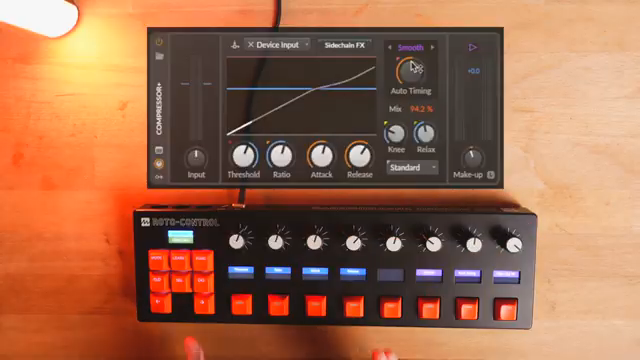
"This I all programmed myself. I highly advise you to go in all your plugins and synths yourself."
© Screenshot/Quote: Lodewijkvos (YouTube)
DAW Agnostic: Bitwig, Cubase, and Beyond
Flexibility is the Roto-Control’s secret weapon. Vos shows it working seamlessly in both Bitwig and Cubase, with DAW scripts for deeper integration but no hard dependencies. Even without scripts, you can still control plugin parameters, making it a true chameleon in multi-DAW setups. The layouts and mappings travel with the hardware, so you’re never stuck reprogramming when you switch machines or projects. For anyone juggling multiple DAWs, this is a breath of fresh air—and a rare escape from controller purgatory.
Final Verdict: Workflow Unleashed, No Babysitting Required
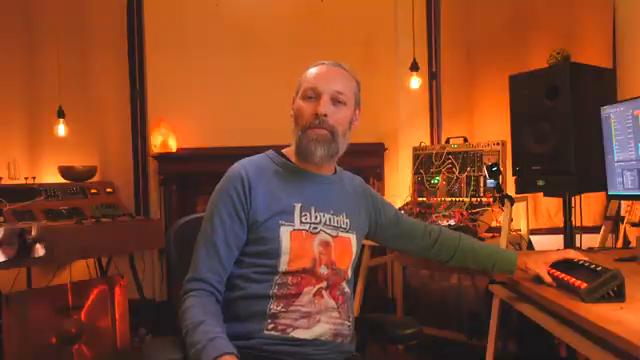
"No wrapper, no weird workarounds. It just communicates straight with the plugins in your session."
© Screenshot/Quote: Lodewijkvos (YouTube)
Vos wraps up with a clear message: the Roto-Control has genuinely changed how he mixes and shapes sounds, without locking him into a proprietary nightmare. It’s compact, powerful, and future-proof—no wrappers, no weird workarounds, just direct communication with your plugins. He dreams of a version with faders, but even as it stands, the Roto-Control is a serious contender for anyone who wants tactile control without the usual headaches. If you want to get closer to your music and further from controller drama, this box might just be your new street weapon.
This article is also available in German. Read it here: https://synthmagazin.at/lodewijk-vos-und-der-roto-control-daw-dominanz-oder-nur-ein-weiteres-gimmick/
Watch on YouTube:
Latest articles
Watch on YouTube:
Visit the channel:
https://www.youtube.com/lodewijkvos
https://www.youtube.com/lodewijkvos
Links from lodewijkvos:
website: https://lodewijkvos.com
facebook: https://www.facebook.com/lodewijkv
instagram: https://www.instagram.com/lodewijkv/
Sponsored links:
If you purchase via these links, we may earn a small commission – at no extra cost to you. The link opens an Amazon keyword search, and results may vary depending on availability.
Melbourne Instruments Roto-Control
🔗 Check price on Amazon
🔗 Check price on Amazon