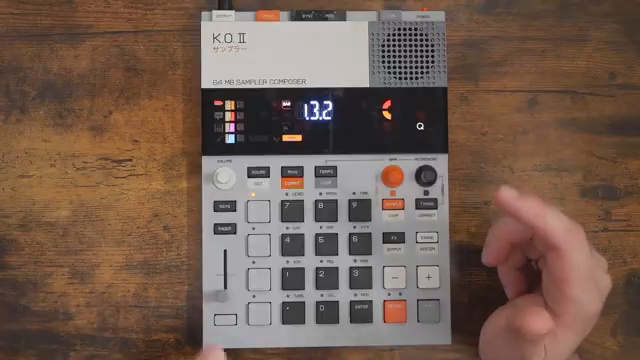
Free Beat’s back in the bunker, this time wrangling the Teenage Engineering KOII’s looping feature—and it’s not the live looper you’re expecting. Instead of the usual pedalboard shenanigans, KOII lets you slice, dice, and remix your patterns in real time, turning a simple groove into a rave-ready monster. Punch-in effects? Still on tap, still wild. If you think you know what looping means, think again—this is a street weapon for the hands-on performer. Dive in for a taste of KOII’s chaos, and maybe keep your old looper on standby for nostalgia’s sake.
28. December 2025
SPARKY
Free Beat’s KOII Loop Mode: Not Your Nan’s Looper
Loop Mode: Not Your Average Looper
Let’s get one thing straight: KOII’s looping isn’t your granddad’s tape echo, nor is it the usual live input capture. Free Beat wastes no time showing us that this feature is all about real-time manipulation of what’s already in your pattern bank. No guitars plugged in, no endless overdubs—just you, your patterns, and a pair of hands itching for chaos.
What makes this fresh is the way you can grab any existing pattern and start slicing it up on the fly. It’s not about building loops from scratch; it’s about taking what you’ve got and turning it inside out, mid-performance. If you’re after a new way to keep your sets unpredictable, KOII’s loop mode is your new best mate.
Pattern Surgery: Looping with a Twist
Forget everything you know about traditional looping. KOII’s approach is to let you manipulate pre-existing patterns, not live audio. Free Beat admits he expected a classic looper, but KOII flips the script—looping is now about windowing and length, not layering takes.
You get two simple controls: one knob for loop length, one for loop position. That’s it. But the magic is in how you use them—remixing your own material on the fly, finding sweet spots, and keeping the dancefloor guessing. It’s a tool for DJs, beatmakers, and anyone who likes their grooves with a side of surprise.
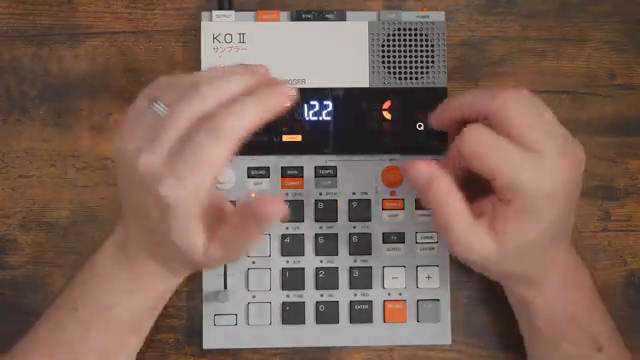
"LOOP actually refers to looping a part of your pattern that's already playing, which is really interesting to me."
© Screenshot/Quote: Freebeat (YouTube)
Punch-In Effects: Still in the Fight
"You'll also notice that I was still able to use punch-in effects while loop mode was active, which is so cool."
© Screenshot/Quote: Freebeat (YouTube)
KOII doesn’t shut down the fun when you’re in loop mode—punch-in effects are still live and kicking. Free Beat shows off how you can layer effects over your loops, using the pads just like normal. Pressure sensitivity? Still there, ready to turn a mild filter into a full-on frequency chokehold.
This means you’re not just looping—you’re mangling, twisting, and reshaping in real time. The result? Loops that evolve, mutate, and never get stale. If you want static repetition, look elsewhere. KOII’s loop mode is all about movement and mischief.
Escape Hatch: Exiting Loop Mode with Style
Getting out of loop mode is as slick as getting in. Hit the main button, and KOII waits for the start of the next measure—keeping everything tight and in time. Prefer chaos? Hit the timing button and you’re out instantly, perfect for those happy accidents Free Beat loves.
There’s even a mysterious shift-and-tempo trick buried in the manual, though Free Beat admits it’s a bit of a head-scratcher. Either way, KOII makes it easy to jump in and out of loops without derailing your set. Seamless transitions, or abrupt exits—it’s your call.

"And what that does is it exits the loop at the start of the measure. So you're pretty much always in time."
© Screenshot/Quote: Freebeat (YouTube)
Final Verdict: KOII Looping Slaps

"Yeah. Wow. That's going to be two thumbs up from me on this one."
© Screenshot/Quote: Freebeat (YouTube)
After a healthy dose of pattern abuse and effect mayhem, Free Beat gives KOII’s looping a solid two thumbs up. The combination of real-time loop manipulation and punch-in effects means you can wring endless variety out of a single pattern—no external FX required.
KOII’s loop mode isn’t just a gimmick; it’s a performance tool that rewards hands-on play and quick thinking. If you’re after a groovebox that keeps you on your toes and your audience guessing, this is it. For the full sonic carnage, though, you’ll want to watch the video—some things just can’t be explained in text.
This article is also available in German. Read it here: https://synthmagazin.at/free-beat-und-der-koii-loop-mode-nicht-das-loopen-deiner-oma/
Watch on YouTube:
Latest articles
Watch on YouTube:
Visit the channel:
https://www.youtube.com/FreeBeat
https://www.youtube.com/FreeBeat
Links from FreeBeat:
Support the Channel: https://patreon.com/freebeat
Instagram: https://instagram.com/freethebeatwithin
Sponsored links:
If you purchase via these links, we may earn a small commission – at no extra cost to you. The link opens an Amazon keyword search, and results may vary depending on availability.
Teenage Engineering KOII
🔗 Check price on Amazon
🔗 Check price on Amazon