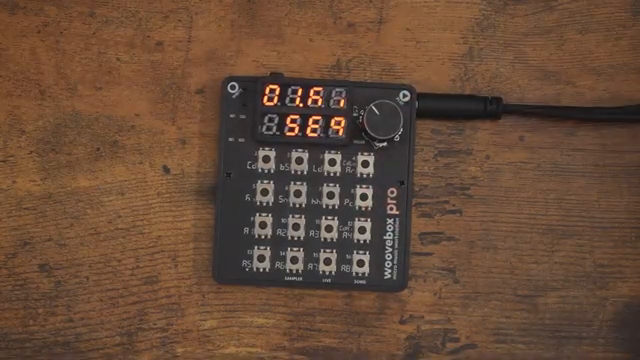
The Woovebox just got a holiday-level injection of new features, and Free Beat is here to bang the drum about it—literally. This update isn’t just a stocking filler; it’s a proper toolkit for anyone who likes their grooveboxes smarter and their workflow less painful. From a slick Android app to count-in recording and the long-awaited return of quantized note entry, Free Beat slices through the fluff and shows off what actually matters. If you’re tired of clunky transfers and off-grid timing headaches, this video is your new cheat sheet. Dive in for the highlights, but trust me—some things you’ll want to see (and hear) for yourself.
12. December 2025
SPARKY
Free Beat Unleashes the Woovebox Holiday Update: Android, Count-In, and Quantize Mayhem
Holiday Update: Woovebox Gets a Festive Upgrade
Free Beat wastes no time letting us know the Woovebox has scored another free update, and while it’s not as seismic as the 2.0 drop, it’s still a chunky one. The focus here is on features that users have been begging for—no filler, just the good stuff. There are sampler tweaks too, but our host is quick to skip them, admitting he barely touches the onboard sampler. That’s honesty you can respect.
Instead, the spotlight is on workflow improvements that actually matter in the trenches. If you’re the type who imports samples from your computer and wants to get straight to the action, this update’s for you. Free Beat’s approach is all about practicality, and he’s not afraid to leave the sampler crowd to their own devices. For the rest of us, it’s time to see what’s really changed.
WoovConnect Goes Mobile: Android App Arrives
The headline act is the new WoovConnect Android app, finally dragging the Woovebox into the mobile era. No more faffing about with dodgy third-party drivers or being chained to a PC—just grab the app and you’re off. Firmware updates, sample transfers, exporting stems—it’s all now doable from your phone or tablet, and Free Beat is clearly chuffed about it.
He does admit he still prefers a hardwired MIDI setup, but even he can’t deny the convenience. The real kicker? Screen mirroring is now a breeze, making it way easier to capture overlays for videos. For anyone who’s wrestled with unreliable desktop mirroring, this is a proper game-changer. If you’re on iOS, though, don’t hold your breath—no news there yet.
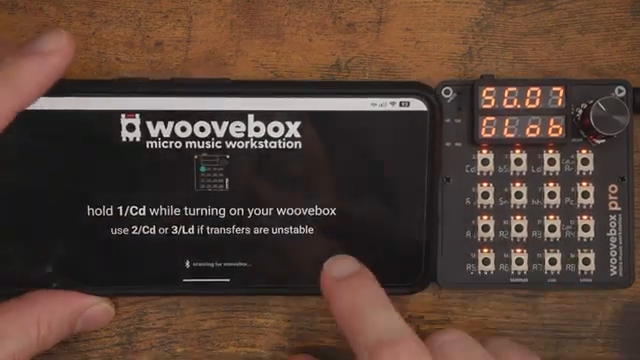
"Now you can just do it from the Woovbox Android app and you don't even need third-party drivers."
© Screenshot/Quote: Freebeat (YouTube)
Count-In Recording: Live Play Just Got Smarter
"As far as I know, no one asked for it, but I am so grateful that it's here."
© Screenshot/Quote: Freebeat (YouTube)
Next up: count-in recording. It’s the sort of feature you didn’t know you needed until it lands in your lap. Free Beat is genuinely surprised this made it into the firmware, but grateful all the same. Now, instead of being thrown straight into recording chaos, you get a countdown—giving you a fighting chance to nail your take.
The workflow is dead simple: hold right, hit play, and let the Woovebox count you in. No more botched first notes or frantic scrambles. It’s a small tweak with a big impact, especially for those who prefer live recording over step sequencing. Free Beat’s demo is quick and dirty, but the improvement is obvious.
Quantized vs Off-Grid: The Recording Tug-of-War Resolved
One of the most requested fixes is finally here: you can now toggle between quantized and off-grid recording, instead of being stuck with one or the other. Free Beat breaks down the saga—quantize was there at launch, then vanished when off-grid arrived, replaced by a half-baked groove workaround. Now, you get both, plus the ability to add swing for that human touch.
Switching is as easy as holding right and play, and the timing detection has had a serious tune-up. Whether you want your notes locked to the grid or flung off it, the Woovebox now lets you choose. It’s the kind of flexibility that turns a quirky box into a real street weapon. Free Beat’s relief is palpable—this is the workflow he’s been waiting for.
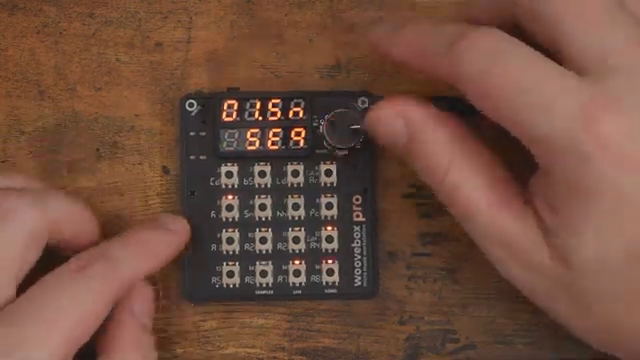
"And as you can see here, these are clearly on the wrong steps."
© Screenshot/Quote: Freebeat (YouTube)
See It, Hear It: Why the Video’s Worth Your Time
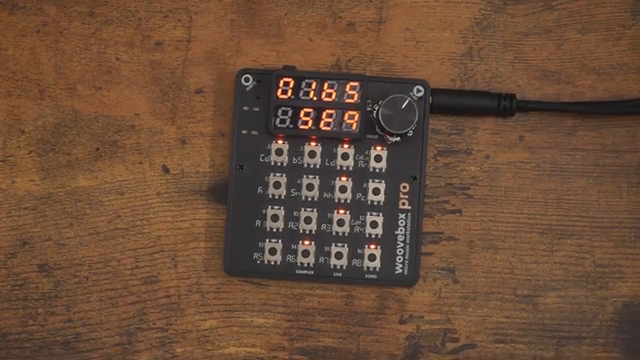
"It's just great to have more added to the Woovbox still, two years on, all the updates have been completely free, you gotta love it."
© Screenshot/Quote: Freebeat (YouTube)
Free Beat doesn’t just talk the talk—he walks you through the features with hands-on demos. You’ll see random presets, live play quirks, and the new timing options in action. It’s not about pristine sound design here; it’s about showing how these updates change the way you actually use the box.
If you want to hear the difference between quantized and off-grid, or see how the count-in smooths out your workflow, the video’s where it all comes together. Some things just don’t translate to text—so if you’re serious about squeezing the most out of your Woovebox, give it a watch. You’ll get the full flavour, warts and all.
This article is also available in German. Read it here: https://synthmagazin.at/free-beat-entfesselt-das-woovebox-holiday-update-android-count-in-und-quantize-im-rave-modus/
Watch on YouTube:
Latest articles
Watch on YouTube:
Visit the channel:
https://www.youtube.com/FreeBeat
https://www.youtube.com/FreeBeat
Links from FreeBeat:
Support the Channel: https://patreon.com/freebeat
Instagram: https://instagram.com/freethebeatwithin
Sponsored links:
If you purchase via these links, we may earn a small commission – at no extra cost to you. The link opens an Amazon keyword search, and results may vary depending on availability.
Behringer UMC1820
🔗 Check price on Amazon
🔗 Check price on Amazon
Woovebox
🔗 Check price on Amazon
🔗 Check price on Amazon