Factory presets on digital synths often feel like locked vaults, especially when the interface is as minimal as Magnolia’s seven-segment display. In classic Frap Tools fashion, this video walks through a methodical, patch-oriented approach to dissecting any Magnolia preset—no screen required. The focus is on understanding the architecture, modulation routings, and parameter values that shape each sound, using only the instrument’s LEDs and tactile controls. For those who thrive on signal flow and crave a deeper connection with their synth, this is a masterclass in analytical patchwork, revealing how Magnolia’s interface can become a powerful tool for sonic investigation rather than a limitation.
1. April 2026
MILES
Frap Tools Magnolia: Reverse Engineering Presets Without a Screen
Cracking the Black Box: Magnolia’s Preset Dissection Method
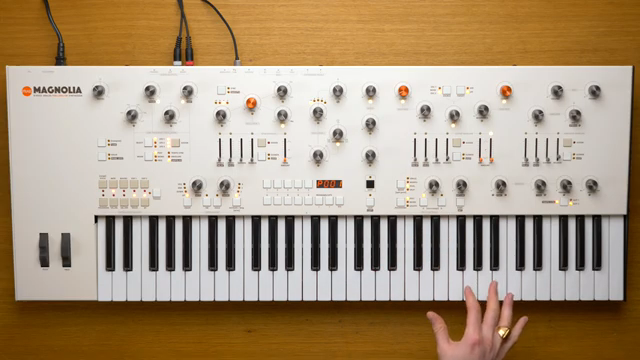
The video opens with a challenge familiar to many synth enthusiasts: how to truly understand a factory preset when the interface offers little visual feedback. Magnolia, with its seven-segment display, might seem like a closed book at first glance. Yet, as Frap Tools demonstrates, there’s a structured method to reverse engineering any preset, even without a screen. By focusing on the instrument’s tactile interface and LED feedback, users can unravel the inner workings of any patch.
Rather than treating presets as mysterious artefacts, the approach here is analytical and hands-on. The presenter selects factory preset number 1—created by Gattobus, not by Frap Tools themselves—to ensure an unbiased exploration. This sets the stage for a journey through architecture, modulation, and parameter mapping, all using the synth’s physical controls and clever observation.
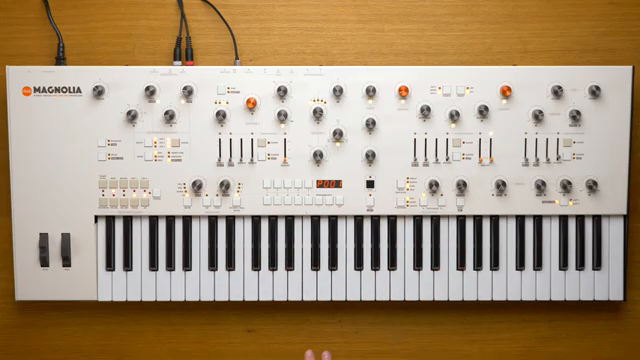
"It is still possible to understand what is going on under the hood of each program through the user interface."
© Screenshot/Quote: Fraptools (YouTube)
Architecture, Polyphony, and the Arpeggiator: Mapping the Foundations
"This is quite an unusual way to blend a polyphonic and a monophonic patch, and I would never have thought about it."
© Screenshot/Quote: Fraptools (YouTube)
The first investigative step is to examine Magnolia’s part controls, revealing how the preset is structured. Magnolia is inherently bitimbral, always offering two parts—A and B. In this example, the preset is in dual mode, meaning both parts play simultaneously. By switching to single mode, each part can be isolated and auditioned, exposing their individual sonic roles: part A as a lush polyphonic pad, part B as a monophonic voice.
Polyphony settings are crucial here, with the video highlighting the unusual blend of a polyphonic and a monophonic patch within the same program. The presenter notes how part B always highlights the last note played, a creative touch that wouldn’t be immediately obvious from just listening. The arpeggiator, often a wildcard in such setups, is confirmed to be off for both parts, simplifying the initial analysis and allowing focus on the core sound design.
LEDs, Modulation, and Parameter Sleuthing: Unveiling the Patch’s DNA
With the architecture mapped, attention shifts to the heart of any modern synth patch: modulation. Magnolia’s LED system becomes a forensic tool—white LEDs indicate a function is being modulated, red LEDs show an active modulation source. By using the assign button, users can see existing modulation routings without altering the patch, a clever design choice that aids in non-destructive analysis.
The demonstration methodically checks each LFO and modulation source, revealing a web of assignments: LFO 1 modulates oscillator 1’s volume and cutoff, LFO 2 modulates LFO 1’s rate, and LFO 3 shapes oscillator 2’s harmonics. Aftertouch and keyboard tracking further enrich the modulation landscape, sometimes even modulating other modulators for nested effects. The toggle button allows users to reverse the search—seeing what is modulating a given parameter, not just what a source is modulating.
Parameter values themselves are accessible via the value button, which, when held and combined with knob turns, displays the stored value regardless of knob position. This lets users deduce oscillator waveforms, filter settings, envelope shapes, and more. The process is systematic: check each parameter, note its value, and cross-reference with modulation routings to build a complete picture of the preset’s design.
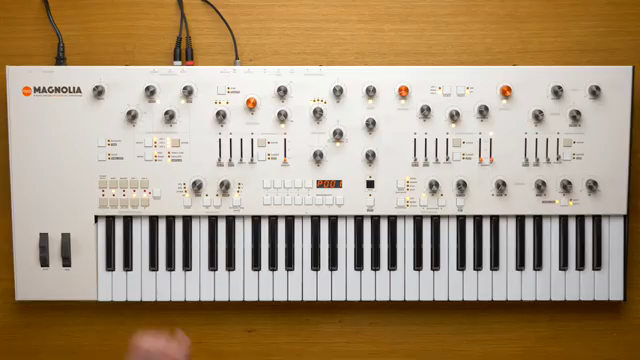
"Every white LED says that its corresponding function is being modulated by a modulation source, and every red LED says that the corresponding modulation source is active and it is modulating something else."
© Screenshot/Quote: Fraptools (YouTube)
Modulation Amounts and the Art of Stripping Back
Understanding what is modulated is only half the battle—the next step is quantifying how much modulation is applied. The assign and value buttons together reveal the exact modulation depth for any parameter, expressed as a percentage of the knob’s range. This is vital for grasping the dynamic range and expressive intent behind each routing, such as LFO 1 modulating the cutoff by 72% or fully opening oscillator 1’s level.
To truly hear the raw sound at the core of the patch, the video demonstrates how to systematically remove all modulation sources using the toggle button. This exposes the unadorned oscillator and filter tones, making it possible to appreciate the foundational sound design before modulation is reintroduced. The process is then repeated for part B, revealing further tricks—like using aftertouch to crossfade oscillator levels before the filter, likely to exploit the overload circuit for extra character.
Magnolia’s Interface as an Analytical Tool: Lessons for Synth Programmers
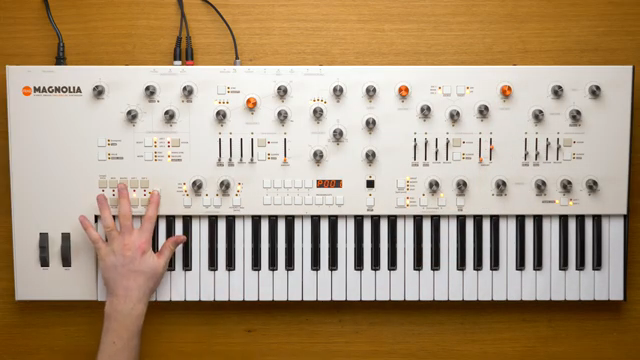
"Even if Magnolia only has a seven segment display, it possesses all the tools that you may need to understand how a preset was made without even touching a single knob and changing a single parameter."
© Screenshot/Quote: Fraptools (YouTube)
The final takeaway is that Magnolia’s minimalist interface, far from being a limitation, can be wielded as a precise analytical instrument. By following a methodical process—checking part structure, mapping modulation paths, stripping back routings, and finally tweaking parameters—users can reverse engineer even the most complex presets without ever needing a screen.
Frap Tools encourages this mindset, suggesting that every user can become a patch detective with the right approach. The video closes by recapping the procedure and inviting viewers to apply these techniques to their own sound design explorations. In a world of ever-more complex synths, Magnolia’s LED-driven workflow stands out as a reminder that sometimes, less is more—if you know where to look.
This article is also available in German. Read it here: https://synthmagazin.at/frap-tools-magnolia-presets-entschluesseln-ganz-ohne-bildschirm/
Watch on YouTube:
Latest articles
Watch on YouTube:
Visit the channel:
https://www.youtube.com/FrapTools
https://www.youtube.com/FrapTools
Links from FrapTools:
website: https://frap.tools
instagram: https://instagram.com/fraptools
facebook: https://www.facebook.com/fraptools
twitter: https://twitter.com/fraptools
soundcloud: https://soundcloud.com/fraptools
Sponsored links:
If you purchase via these links, we may earn a small commission – at no extra cost to you. The link opens an Amazon keyword search, and results may vary depending on availability.
Frap Tools Magnolia
🔗 Check price on Amazon
🔗 Check price on Amazon