Espen Kraft, 80s synth sorcerer and resident patch wizard, just dropped a Kawai K3/K3M editor that runs in your browser and costs less than a pint—because it’s free. If you’ve ever wrestled with the K3’s menu-diving quirks, this tool is your new rave bunker control panel. It’s got all the essentials: real-time tweaks, drag-and-drop additive magic, and even a virtual keyboard for those days when cables feel like medieval torture. There’s a catch—no hand-holding, no manual, just raw power. Dive in if you dare.
3. August 2026
SPARKY
Espen Kraft’s Kawai K3 Editor: Free, Fierce, and Built for Sonic Mayhem
First Impressions: A Web-Based K3 Lifeline
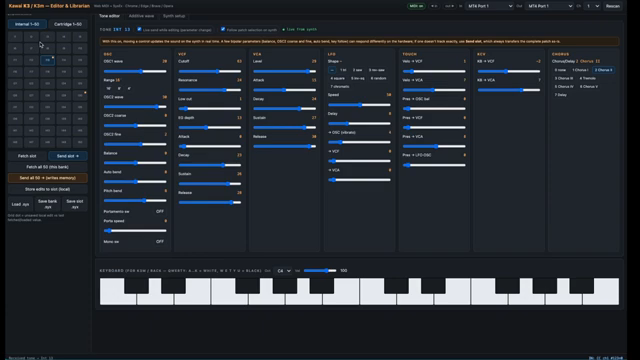
Espen Kraft kicks things off with a punch: his new Kawai K3 and K3M librarian/editor is up for grabs, and you won’t have to smash your piggy bank—it’s free. Forget clunky installs; this thing runs straight in your browser, as long as you’re not stuck in the Firefox/Safari dark ages. If you’ve ever tried to wrangle the K3’s hardware interface, the editor’s clean, visual layout feels like a rave lightshow after years in the cable dungeon.
The interface is all about cutting the faff. Parameter controls are obvious and quick to grab, giving you instant access to the synth’s guts. You can sculpt sounds without squinting at tiny LCDs or scrolling through endless menus. The vibe is pure: get in, get weird, get out. Kraft’s 80s sensibility seeps through—the editor is built for folks who want to jam, not fiddle with manuals.
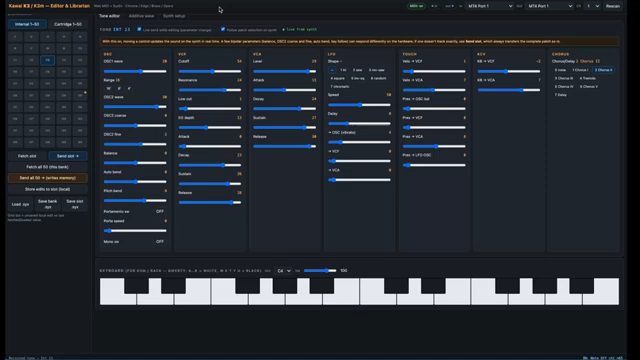
"This is my brand new Kawaii K3, K3M librarian and editor and it's totally free."
© Screenshot/Quote: Espenkraft (YouTube)
Patchwork Power: Tweaks, Saves, and SysEx Sorcery
"With this librarian you can fetch slots from the hardware."
© Screenshot/Quote: Espenkraft (YouTube)
The K3 editor isn’t just about twiddling knobs—it’s a full-on librarian too. You can pull single patches or entire banks off the synth, stack them in the app, and send them flying back to the hardware at will. Loading and saving SysEx files is dead simple, so your custom sounds aren’t about to vanish in a power surge. Kraft keeps it tight: you can load, save, and swap C6 files all day, no drama.
This means no more living in fear of lost patches, and no more clunky MIDI dumps via ancient software. It’s all handled on-screen, so you’re free to experiment, back up, and restore at the speed of inspiration. For anyone still clutching their K3 like a family heirloom, this is the digital toolkit you’ve been waiting for.
Virtual Keys: For K3M Warriors
If you’re rocking the K3M module, Kraft has slipped in a virtual keyboard—no extra hardware needed. You can audition sounds directly, meaning less cable spaghetti and more time actually making music. It’s a little workflow gift that keeps you in the groove, not lost behind the rig. For hardware purists, MIDI merging is still there, but this feature is a nod to anyone who wants to keep their desk clean and their mind on the next banger.
Additive Synthesis: User Waves Without Tears
Here’s where Kraft’s tool gets spicy: the K3’s additive synthesis engine. The editor lets you dive straight into building your own user waveforms by stacking sine harmonics. No cryptic menu-digging—just drag harmonics up and down, stack ‘em however you want, and hear the results instantly. It’s like sculpting with lasers, not chisels. Yes, it’s basic compared to a DX7’s FM chaos, but it’s all about fast, hands-on sound design.
You can clear out the harmonics, build from scratch, or conjure a saw wave in seconds. Kraft’s approach is direct—no “what does this button do?” confusion. For anyone curious about the K3’s secret sauce, the video shows the process in action, and let’s be honest: the real magic is in seeing and hearing these custom waveforms live. Don’t just read about it—go watch Kraft stack those sines like he’s building a rave bunker wall.
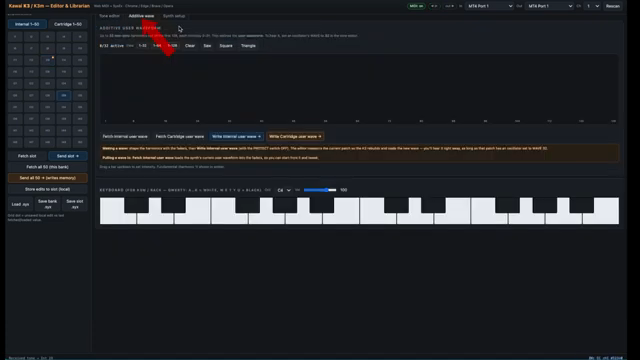
"You can make a user waveform by stacking sine harmonics and you do that in this window at least in this editor."
© Screenshot/Quote: Espenkraft (YouTube)
Free, Raw, and DIY—No Babysitting Included
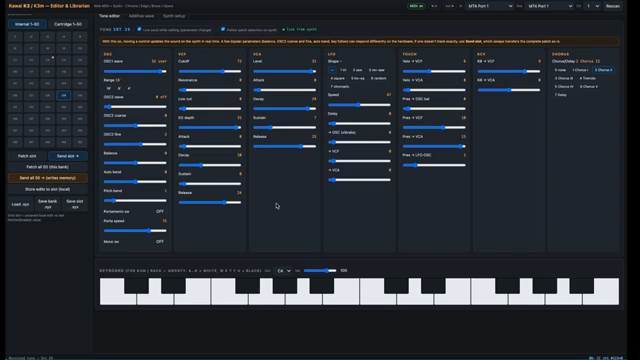
"I offer no support or documentation or anything for this one just use it in your web browser as you like."
© Screenshot/Quote: Espenkraft (YouTube)
Before you start raving about customer service, let’s get one thing straight: this editor is as DIY as it gets. Kraft gives it away, but there’s no support, no step-by-step hand-holding, and no glossy manual. It’s all “as is”—just like a proper underground tool should be. If you want it, grab it, use it, and if you break it, well… you’ll have to fix your own toaster-fight.
This article is also available in German. Read it here: https://synthmagazin.at/espen-krafts-kawai-k3-editor-kostenlos-kompromisslos-und-bereit-fuer-klangchaos/
More articles about these products:




Watch on YouTube:
Latest articles
Watch on YouTube:
Visit the channel:
https://www.youtube.com/EspenKraft
https://www.youtube.com/EspenKraft
Links from EspenKraft:
Instagram: https://instagram.com/espenkraft
Sponsored links:
If you purchase via these links, we may earn a small commission – at no extra cost to you. The link opens an Amazon keyword search, and results may vary depending on availability.
Kawai K3
🔗 Check price on Amazon
🔗 Check price on Amazon
Kawai K3M
🔗 Check price on Amazon
🔗 Check price on Amazon