If you love wrangling classic 80s hardware but hate menu-diving, Espen Kraft has cooked up a free web-based editor for the Roland Alpha Juno-2. With just a browser and a MIDI interface, you get real-time sound-shaping, bank management, and even a cheeky arpeggiator hack. Kraft’s approach is pure utility with a dash of fun—no hand-holding, just tools to get your synth screaming. Plug in, tweak hard, and explore the editor’s tricks before the next firmware update ruins your day.
30. August 2026
SPARKY
Espen Kraft’s Alpha Juno-2 Editor: No Nonsense, All Groove
Browser Beats: The Editor Unleashed
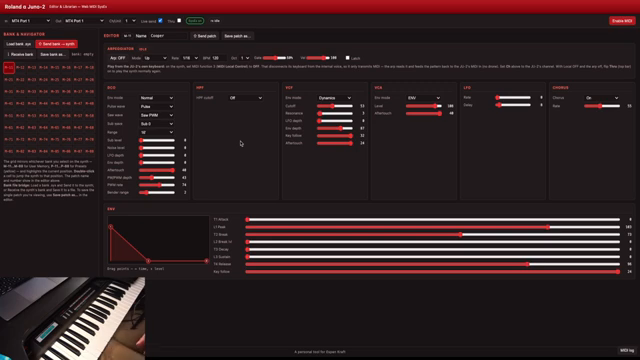
Espen Kraft drops straight into the action with his new Alpha Juno-2 editor and librarian, built for browser warriors and vintage addicts alike. This isn’t some clunky standalone app—it runs in Chrome or Edge, plugs into your MIDI interface, and suddenly that infamous Juno menu-diving is a distant memory. Kraft’s interface puts patch navigation front and centre, letting you snap to presets and memory slots with a click or double-click. It’s as if someone finally put a proper satnav on a synth stuck in the 80s.
The left-side navigator tracks your moves on the synth and updates patch names in real time, so you always know where you are—even if your brain is still stuck in last night’s rave bunker. Want to swap between preset and user banks? Dead easy. The design is pure function, with Kraft’s signature no-frills style—just banks, names, and instant access. Forget the Roland deep-dive; this tool is all about staying in the sonic fast lane.
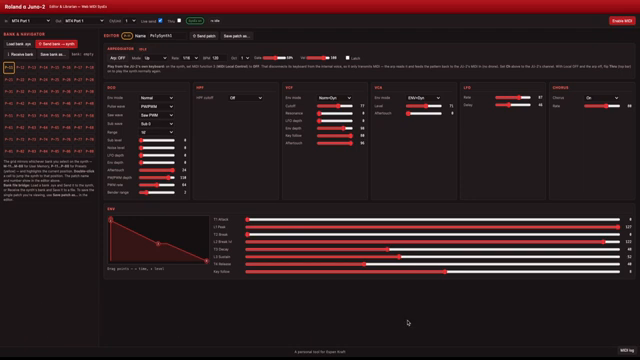
"This is my personal tool and it's set up the way I want it to behave."
© Screenshot/Quote: Espenkraft (YouTube)
Hands-On Tweaks & Bank Boss Moves
"We also have a envelope graphic display here and you can of course move the faders around to the right here, but you can also click and drag in the graphical display here if you want to do that."
© Screenshot/Quote: Espenkraft (YouTube)
The real meat is in the editor’s tweak zone. Every parameter is up for grabs, from cutoff to resonance, with faders you can drag or, for the visually inclined, an envelope graphic you can click and bend like a synth yoga instructor. Kraft keeps it simple; the Alpha Juno-2 doesn’t have a billion features, so the focus is on quick moves and instant results. The interface is blocky, functional, and ready for abuse.
Transferring patches or whole banks is a doddle: load up a SysEx file, dump it into the Juno, or pull sounds straight from the synth to your computer. Kraft even reminds you to check his older videos if you need a hand with the transfer ritual. It’s patch librarian business with zero faff—just how we like it. Whether you’re hoarding 80s pads or prepping for a live toaster-fight, this tool keeps your sonic arsenal locked and loaded.
Arpeggiator Mayhem: Beyond the Original
But the real curveball? Kraft snuck in an arpeggiator—a feature the Alpha Juno-2 never had. It’s not DAW-syncable, and it’s not pretending to be more than a bit of fun, but it turns the synth into a quick-fire riff machine. Enable it, kill local mode, and suddenly your Juno is spitting out patterns Kraft never intended Roland to allow. It’s a creativity spark, not a clocked studio tool, but sometimes that’s exactly what you need.
You can latch it, flip modes, and yes, even forget the manual for a bit. Kraft demos how local mode messes with the arp, showing both the intended chaos and the accidental happy accidents. These are the moments you’ll want to hear for yourself—no text description can capture the lurch and tumble of a hacked Juno arpeggio. Trust me, this is the kind of thing that gets you kicked out of polite dinner parties.
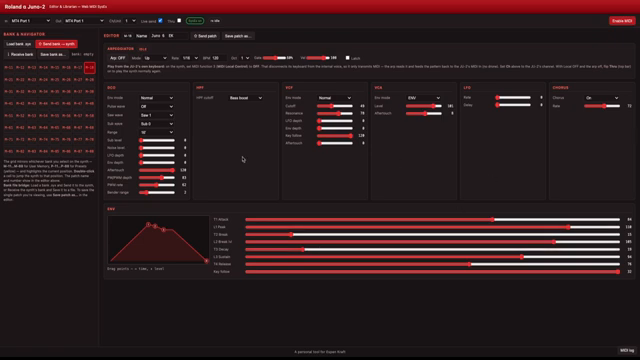
"Now I've made one more addition to this editor, something that the Alpha Juno don't have, and that is an arpeggiator."
© Screenshot/Quote: Espenkraft (YouTube)
Free, Fast, and Wild: Grab It Now
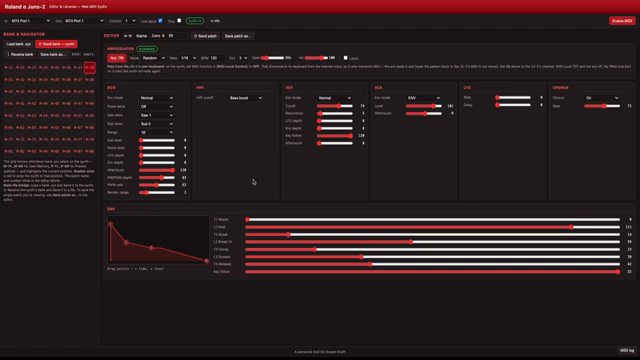
"It is as is and you're on your own if you download it. But it's free so please go ahead."
© Screenshot/Quote: Espenkraft (YouTube)
Espen Kraft wraps things up by making it clear: this editor is free, comes as-is, and you’re on your own. If you’re the type who likes to push old gear into new territory, it’s a no-brainer download. Just don’t expect tech support or handholding—this is a tool for explorers, not tourists. Download it, break it, twist it, and maybe even send Kraft a thank-you if your Juno survives the ride.
This article is also available in German. Read it here: https://synthmagazin.at/espen-krafts-alpha-juno-2-editor-keine-spielereien-nur-groove/
More articles about these products:
Watch on YouTube:
Latest articles
Watch on YouTube:
Visit the channel:
https://www.youtube.com/EspenKraft
https://www.youtube.com/EspenKraft
Links from EspenKraft:
Instagram: https://instagram.com/espenkraft
Sponsored links:
If you purchase via these links, we may earn a small commission – at no extra cost to you. The link opens an Amazon keyword search, and results may vary depending on availability.
Roland Alpha Juno 2
🔗 Check price on Amazon
🔗 Check price on Amazon