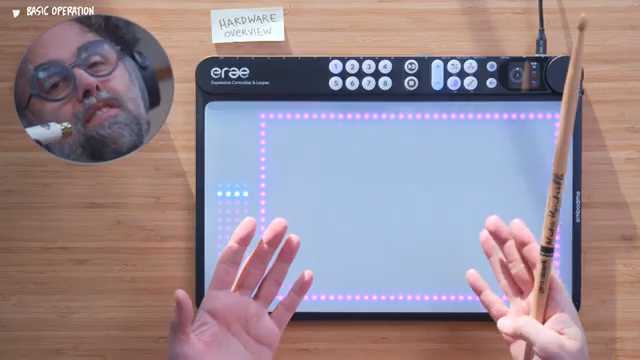
Erae Sound is embodme’s bold answer to dedicated, MPE-driven software synthesis, built specifically for the Erae 2 controller. This video tutorial delivers a comprehensive walk-through of the synthesizer’s core workflow, from its dual sound generators and flexible routing to a modulation matrix that’s genuinely performance-centric. The integration with Erae Lab and dynamic project management creates a unique interplay between hardware and software, putting expressive control at the player’s fingertips. We explore what’s shown—and what remains to be seen in deeper workflow contexts.
Erae Sound: Custom Integration, Custom Expression
Erae Sound lands as an MPE software synthesizer designed exclusively for the Erae 2, and this focus on tight integration is evident from the outset. The video introduces the concept of over 100 instrument presets, each paired with a dedicated layout that automatically populates on the Erae controller—no manual mapping or menu diving needed at the start. This approach promises a streamlined, ready-to-play workflow, emphasizing immediate expressivity over tedious setup.
What sets Erae Sound apart, at least as demonstrated here, is its commitment to multi-dimensional performance: pressure, pitch bend, and CC 74 are all mapped for nuanced interaction. Each preset is engineered to exploit the full range of multipolyphonic expression the Erae 2 offers, giving users a direct connection between their gestures and the resulting sound. The manufacturer underscores the uniqueness and expressiveness of each instrument, with ongoing development bringing more presets and layouts into the fold.
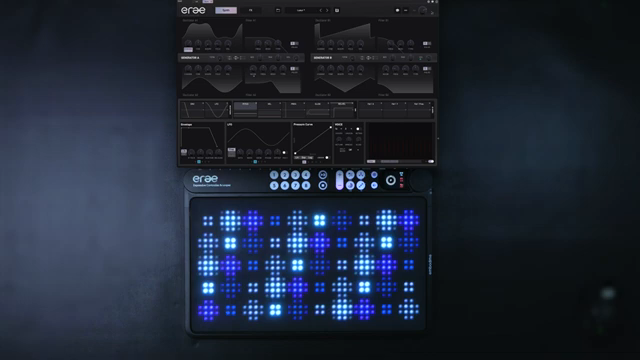
"Each instrument is unique, expressive and designed to use all the features of multipolyphonic expression."
© Screenshot/Quote: Embodme (YouTube)
Core Architecture: Generators, Filters, and FX
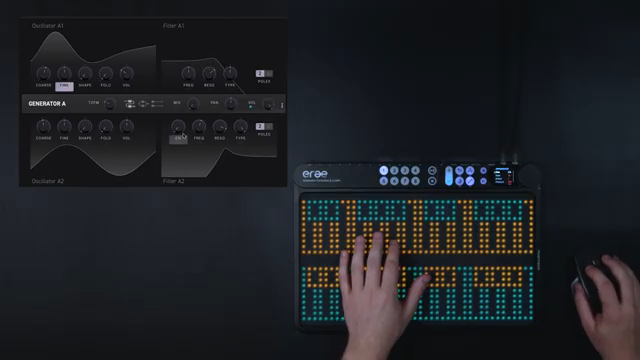
"This is parallel. Both oscillators are sent to both filters."
© Screenshot/Quote: Embodme (YouTube)
The core sound engine centers on two identical generators—Gen A and Gen B—each comprising a pair of oscillators routed into dual filters. Oscillator controls are straightforward: course and fine tuning, morphable waveforms (from sine to saw), harmonic folding, and a dedicated through-zero FM control for more complex timbres. The routing system is notably flexible, with serial, parallel, and independent modes allowing users to define how oscillators interact with filters. This gives sound designers granular control over the signal flow, from classic serial filtering to fully discrete processing per oscillator.
After filtering, the signal passes through an FX section that’s as modular as the core engine. Four FX slots are available, each with direct out and send controls, enabling both parallel and serial effect chains. The user can, for example, send a processed delay into a reverb for lush, cascading textures, or keep effects in parallel for clarity. The interface also provides quick access to filter slopes (12 or 24 dB/octave), generator volume and pan, and overall master output—demonstrating a workflow designed for rapid, hands-on adjustments rather than deep menu navigation.
Gestures and Modulation: The Matrix Unleashed
Modulation in Erae Sound is organized around four global groups (A, B, C, D), each acting as an envelope, LFO, or custom curve, and an additional parameter-specific modulation lane (X). By default, generator volumes are tied to envelope A, but users can assign any group to almost any parameter, allowing for highly adaptive modulation routing. The video demonstrates assigning velocity to filter cutoff, and the visual feedback in the interface makes these assignments clear and intuitive.
A highlight here is the cross-modulation capability: gestures, LFOs, and envelopes can be interconnected simply by dragging and dropping between control points. This opens up creative possibilities such as having pressure control the send amount of an LFO, or layering gestures for complex, evolving responses. The system is designed to keep modulation assignments visible and fast to tweak—an architectural touch that should encourage deep experimentation, though the depth of modulation layering in large projects is not detailed in this introductory overview.
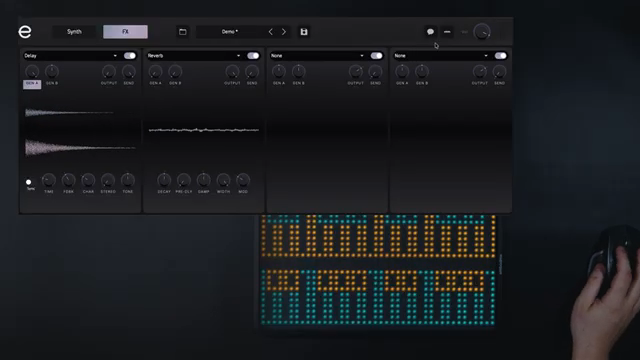
"It will show you the instrument modulations and links."
© Screenshot/Quote: Embodme (YouTube)
Erae Lab: Projects, Layouts, and Instrument Memory
The Erae Lab environment ties everything together, functioning as the central hub for projects, instrument layouts, and editing. Each project can contain up to eight layouts, and users must assign layouts to projects before customization—an architectural choice that keeps organization front and center. Navigating between layouts is simple, either by clicking in the Lab interface or triggering them directly from the Erae 2 hardware, as shown in the video.
Editing layouts is a drag-and-drop affair: users can clear existing keyboards, add a key grid, and immediately link the result to a specific instrument. Saving is context-sensitive—the currently displayed layout is always associated with the instrument at the moment of save. This ensures that instruments and their performance surfaces travel as a unit, though the video does not address how complex macro assignments or multi-layered layouts are managed in larger, performance-oriented projects.
Sync in Action: Instant Recall, Streamlined Performance
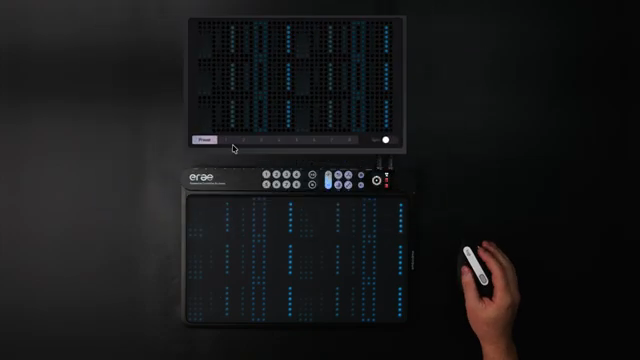
"We can recall instruments by pressing a slot on the array."
© Screenshot/Quote: Embodme (YouTube)
The Sync toggle in Erae Lab adds a final layer of integration, enabling direct recall of instruments from the Erae hardware. When Sync is engaged, instruments can be assigned to project slots, and pressing a slot on the Erae immediately loads the corresponding instrument and its layout. The video demonstrates this with two instruments, highlighting the speed and reliability of this workflow for live performance or rapid studio iteration.
The streamlined recall process eliminates the need to navigate complex menus or load projects manually—one button press on the hardware is all it takes. This tight coupling between software and controller is a clear strength of the Erae ecosystem, though the long-term stability of Sync with large projects or under stage conditions remains to be fully evaluated outside this introductory demo.
This article is also available in German. Read it here: https://synthmagazin.at/embodme-erae-sound-integrierte-mpe-synthese-neu-definiert/
More articles about these products:
Watch on YouTube:
Latest articles
Watch on YouTube:
Visit the channel:
https://www.youtube.com/embodme
https://www.youtube.com/embodme
Links from embodme:
website: https://www.embodme.com
instagram: https://www.instagram.com/embodme
facebook: https://www.facebook.com/embodme
linkedin: https://www.linkedin.com/company/embodme
Sponsored links:
If you purchase via these links, we may earn a small commission – at no extra cost to you. The link opens an Amazon keyword search, and results may vary depending on availability.
Erae 2
🔗 Check price on Amazon
🔗 Check price on Amazon
Erae Sound
🔗 Check price on Amazon
🔗 Check price on Amazon