Elektron continues its tradition of deep, performance-driven sound engines with the Tonverk’s Single Player and Multi Player machines. In this official tutorial, Risa T walks us through the architecture and workflow of these two sample-based engines, highlighting their polyphonic capabilities and hands-on controls. As expected from Elektron, the focus is on creative manipulation and efficient integration into your projects, with a clear emphasis on how these machines handle samples, multi-sampled instruments, and expressive parameters. If you’re curious about how Tonverk’s digital architecture translates into real-world workflow, this video is a must-watch.
20. September 2025
LYRA
Elektron’s Tonverk: Single Player & Multi Player Machines Demystified
Meet the Machines: Single Player vs Multi Player
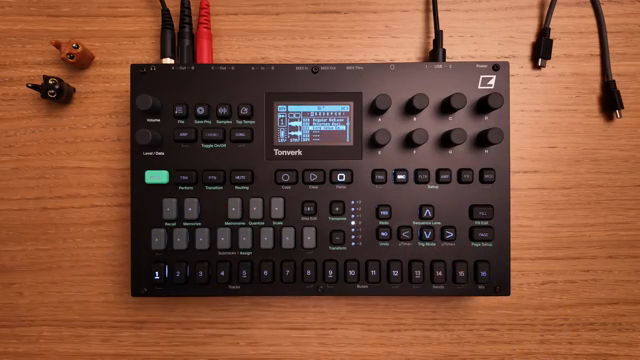
Elektron introduces the Tonverk’s source machines as specialized sound engines, each designed to offer distinct sample playback functionality. The focus of this tutorial is on the Single Player and Multi Player machines, which are central to Tonverk’s approach to sample-based synthesis and composition. These machines are accessed via the source menu on each track, where users can select the desired engine for their workflow.
The Single Player and Multi Player machines are positioned as versatile tools for both creative sound design and structured composition. While Single Player is tailored for straightforward sample playback with polyphony, Multi Player expands the palette by supporting multi-sampled instruments. This segmentation allows users to choose the right engine for their musical intent, whether it’s layering chords or playing expressive, multi-sampled patches.
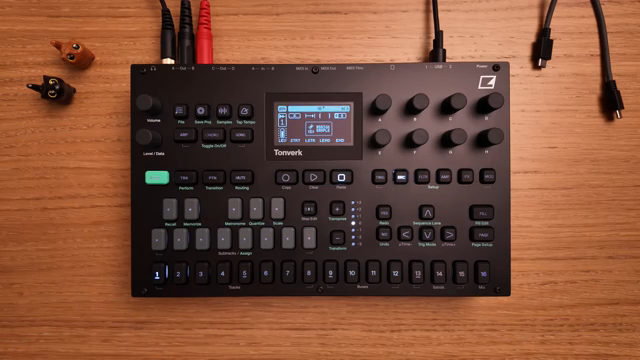
"The source machines are sound engines that provide a specific functionality for sample playback."
© Screenshot/Quote: Weareelektron (YouTube)
Single Player: Polyphonic Sample Power
"We can load up to 4GB of samples per project using a maximum of 1023 sample slots."
© Screenshot/Quote: Weareelektron (YouTube)
The Single Player machine stands out by offering 8-voice polyphony for sample playback, accommodating both mono and stereo files. Users can load a sample onto a track and immediately take advantage of the polyphonic engine, enabling rich chordal textures or layered melodic lines from a single sample source. The workflow for loading samples is straightforward, involving the sample browser and project slots, with support for up to 4GB of samples and 1023 slots per project.
Playback flexibility is at the heart of Single Player. The machine provides four distinct play modes—forward, forward loop, reverse loop, and reverse—allowing users to shape how samples are triggered and sustained. Additional controls for start and end points, loop regions, and crossfade smoothing make it possible to fine-tune the playback behavior, masking clicks and enabling seamless loops. Pitch can be adjusted across a five-octave range, with quick octave shifts available on the keyboard, supporting both detailed sound design and live performance tweaks.
Multi Player: Expressive Multi-Sampled Instruments
The Multi Player machine takes the concept further by enabling playback of multi-sampled instruments, also in 8-voice polyphony. This engine is ideal for users seeking more realistic or expressive instrument sounds, as it can map different samples across the keyboard range. The browsing and loading process mirrors that of Single Player, but focuses on instrument sets rather than individual samples.
A unique addition in Multi Player is the set of vibrato controls, which allow users to introduce pitch modulation with adjustable depth, speed, and fade-in time. This brings a level of expressiveness often associated with traditional instruments, making Multi Player suitable for nuanced performances. The vibrato parameters are easily accessible and can be dialed in to taste, offering immediate feedback and encouraging experimentation.
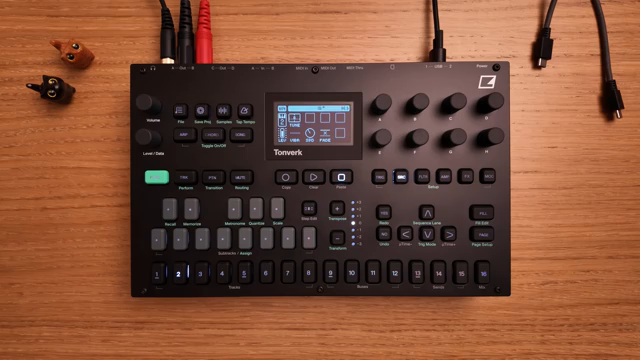
"Increase the vibrato to add the effect, and adjust the speed."
© Screenshot/Quote: Weareelektron (YouTube)
Sample and Instrument Browsing: Streamlined Integration
Tonverk’s workflow for browsing and loading samples or instruments is designed for speed and clarity. Users access the SD card’s contents—including factory libraries and user folders—directly from the hardware, using simple navigation controls. Previewing, selecting, and loading samples or multi-sampled instruments is a matter of a few button presses, making it easy to integrate new sounds into ongoing projects without breaking creative flow.
Deep Parameter Control: Shaping Your Sound
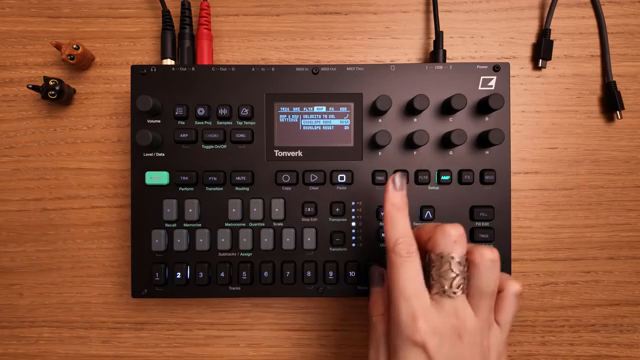
"For example, on the amp page, you can change the envelope mode between ADSR and AHD."
© Screenshot/Quote: Weareelektron (YouTube)
Both Single Player and Multi Player machines offer a comprehensive set of parameters for sound shaping, accessible from the source page and beyond. In Single Player, users can manipulate playback modes, loop regions, crossfade, and pitch, while Multi Player adds vibrato controls for expressive modulation. These parameters are mapped to dedicated knobs, providing immediate tactile access during sound design or performance.
Beyond the source page, each audio track features additional pages for filter, amplitude, effects, modulation, and note-related parameters. The track setup menu, accessed via function shortcuts, reveals further options such as envelope modes (ADSR or AHD) and macro assignments for mod wheel, aftertouch, and pitch bend. This layered approach to parameter access ensures that both quick tweaks and deep editing are possible without overwhelming the user.
Elektron’s design philosophy is evident in the way parameter locking, modulation, and macro controls are integrated into the workflow. While the video focuses on the core playback and shaping features, it’s clear that Tonverk’s architecture is built for both detailed sound sculpting and fast, performance-oriented manipulation. The result is a system that encourages exploration, with enough depth to satisfy even the most demanding users.
This article is also available in German. Read it here: https://synthmagazin.at/elektrons-tonverk-single-player-multi-player-machines-entschluesselt/
Watch on YouTube:
Latest articles
Watch on YouTube:
Visit the channel:
https://www.youtube.com/WeAreElektron
https://www.youtube.com/WeAreElektron
Links from WeAreElektron:
website: https://www.elektron.se
twitter: https://twitter.com/WeAreElektron
facebook: https://www.facebook.com/WeAreElektron
instagram: https://instagram.com/weareelektron
Sponsored links:
If you purchase via these links, we may earn a small commission – at no extra cost to you. The link opens an Amazon keyword search, and results may vary depending on availability.
Elektron Tonverk
🔗 Check price on Amazon
🔗 Check price on Amazon