Get ready to turn your phone into a sample-spitting machine with Chris Laps’ latest tutorial on the MPC Live 3. From recording audio straight from your mobile to chopping it up with various techniques, Chris shows you how to make beats like a pro. If you’re into sampling, chopping, and groove-making, this one’s for you!
24. November 2025
RILEY
Chris Laps Unleashes Phone Sampling Wizardry on the MPC Live 3
Jamming with Your Phone
Chris Laps kicks off the video by diving straight into the nitty-gritty of connecting your phone to the MPC Live 3. Now, we all know that dangling cables aren’t exactly the epitome of a hassle-free studio setup, but Chris makes it look as easy as grabbing a slice at your favorite pizza joint. Using a USB-C cable, he quickly establishes the connection between his phone and the MPC, demonstrating a clean and efficient hookup. With the right settings, Chris ensures the MPC is tuned to receive the phone’s audio input. And just like that, your phone transforms into a digital crate full of potential samples. It’s all about getting the right vibes in before you start chopping it up.
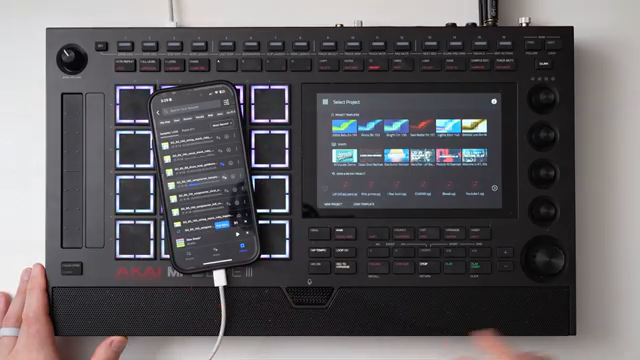
"So you can see I have my phone plugged directly into my MPC in the back here with a USB-C cable."
© Screenshot/Quote: Chris Laps (YouTube)
Record Like a Boss
With the phone connected, Chris Laps delves into the ins and outs of recording directly from a mobile device. He shows us how to navigate the sampler and set it up to start capturing audio. The key here is to adjust the input to USB and enable monitoring to ensure the audio from your phone is heard through the MPC. Once that’s sorted, Chris demonstrates the threshold slider, explaining its role in determining when recording begins. Then, it’s go time as Chris hits ‘arm’ and records a sample he’s prepped on his phone. After stopping the recording, he saves it on the MPC’s internal memory with the same level of ease you’d find at a weekend beat battle.
Chopping it Up: A Symphony of Options
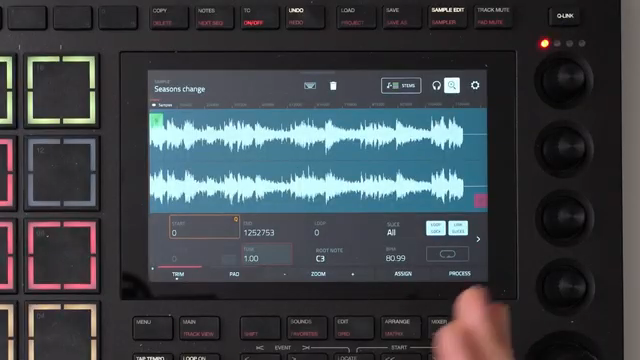
"So from here to actually chop the sample up you hit this button again instead of trim it'll go over to the chop menu."
© Screenshot/Quote: Chris Laps (YouTube)
Once the sample is in place, Chris Laps dives headfirst into the chopping process. It’s a bit like an audio butcher shop, with options aplenty. Chris first adjusts the pitch and speed before getting into the real meat of the process. He navigates to the chop menu, where he starts with a technique known as lazy chopping – think of it as a laid-back way to mark sample sections by simply hitting the pads as the track plays. It’s flexible and lets you experiment with the creative flow, akin to how a street artist might approach a wildstyle graffiti piece. As he shows how to play with the pads, Chris also demonstrates adjusting chops by zooming in, ensuring precision with every slice.
Pads, Chops, and Non-Destructive Thrills
Chris Laps doesn’t hold back when it comes to assigning those chopped samples to pads, a crucial step to getting your beats to slap harder than your grandma’s famous soup. He makes it look like a breeze, converting the chopped samples into a new drum track seamlessly. It’s the MPC magic: each slice is non-destructive, meaning future edits are a no-brainer. Chris highlights how you can always tweak start and end points, emphasizing creativity without the fear of damaging your original work. The ease of non-destructive editing might just be the game-changer many novice producers wish they knew about.
Drums from Splice: Your Sample Buffet
Chris pulls out a well-known trick from his arsenal: integrating Splice for drum samples. It’s like having an all-you-can-eat buffet of drum loops at your fingertips. Chris stresses that Splice offers quality samples and a nifty way to sidestep copyright issues you’d stumble upon if you were snipping audio from YouTube. By diving into the Splice library, Chris easily navigates through the instruments, cherry-picking a drum loop that matches the mood. The convenience factor is through the roof, making it easier than ever to add some kick and snare to the mix without breaking a sweat.
Chop It Like It’s Hot
Chris Laps continues dishing out knowledge with a slice-and-dice demonstration of chopping techniques. He covers lazy chopping, regions, and threshold methods, each one adding a unique character to the way samples are manipulated. Regions offer even chops ideal for drum breaks, which Chris shows with precision. Meanwhile, threshold chopping bases cuts on audio peaks, perfect for pulling out punchy elements from your sound. Chris illustrates the adjustments you can make with a deft touch, making it seem more like sculpting clay than slicing audio. These methods widen the scope for creative expression, letting you tailor your workflow to your own rhythm.
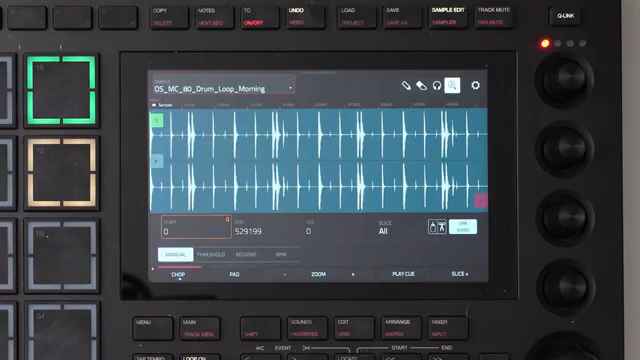
"I'll go back to the regions and I'll go chop that from there."
© Screenshot/Quote: Chris Laps (YouTube)
Wrap It Up, Folks!
As Chris Laps wraps up the session, he throws in a classic YouTube nod to like and subscribe. By now, viewers have a loaded toolkit for transforming phone audio into a hip-hop masterpiece. Chris’s easy-going, informative style makes for a compelling watch, and his sign-off feels like the final bow at a local beat night. If you want to keep up with his tips and tricks, subscribing is a no-brainer. Who wouldn’t want to catch more golden nuggets from Chris on their feed?
This article is also available in German. Read it here: https://synthmagazin.at/chris-laps-entfesselt-die-sampling-wunder-auf-dem-mpc-live-3/
Watch on YouTube:
Latest articles
Watch on YouTube:
Visit the channel:
https://www.youtube.com/Chris_Laps
https://www.youtube.com/Chris_Laps
Sponsored links:
If you purchase via these links, we may earn a small commission – at no extra cost to you. The link opens an Amazon keyword search, and results may vary depending on availability.
MPC Live 3
🔗 Check price on Amazon
🔗 Check price on Amazon