Chris Laps dives into the world of MPC Live 3 with a look at its dynamic TouchFX and XYFX features. These tricks turn any beat into a masterpiece, with live performance becoming a canvas for creativity. Get ready for a rhythm road trip with practical tips and top-notch entertainment.
9. November 2025
RILEY
Chris Laps on MPC Live 3’s Game-Changing Effects: TouchFX & XYFX
TouchFX and XYFX: Transforming Performance
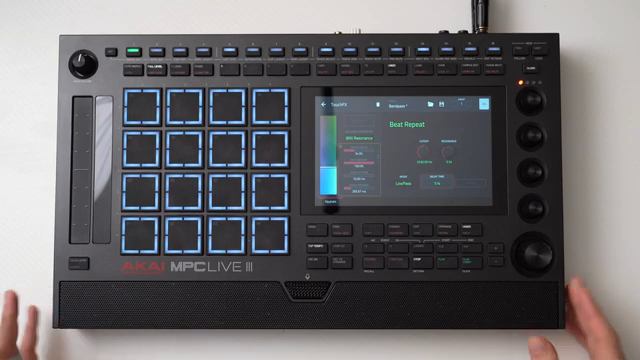
Chris Laps kicks things off by introducing us to the game-changing TouchFX and XYFX features on the MPC Live 3. If you’re like me and love messing around with samplers to create beats that slap, then this is your jam. These multi-effects units aren’t just for show; they are the backbone of enhancing any live performance. As Chris points out, you can slap these effects on individual tracks, mixes, or even the whole shindig, making the MPC Live 3 a dynamic playground. With these tools, your mixes will sound fresher than a street food taco straight off the grill. The TouchFX, he tells us, ties to a nifty touch bar, sensitive enough to pick up on every nuance – kinda like how I react to free pizza.
"One of my favorite ways to use samplers is to create a beat or a track and then perform it using the effects on the sampler."
© Screenshot/Quote: Chris Laps (YouTube)
TouchFX: A Touch of Magic on the Strip
Chris gets cozy with the TouchFX, diving into how this touch-sensitive strip lets you mold effects in real-time. It’s all fun and games until you realize you’ve got a miniature studio orchestra at your fingertips. The touch strip controls a variety of effects, from filters to beat repeats, just begging for some creativity. What’s rad is you can switch up the parameters, thanks to its flexible nature. For instance, Chris showcases a low-pass filter, letting it glide over beats. Not just an on-off switch, folks—this filter can adjust the depth, resonance, even the attack and release times. And don’t get me started on the beat repeat; though a bit abrupt without finesse, Chris shares a trick: using the submixes can keep those transitions as smooth as jazz on vinyl. That’s how you keep your groove going without losing the beat’s soul.
Submixes: The Secret Sauce for Seamless Beats
"So typically what I like to do is run this on a submix instead of the full mix."
© Screenshot/Quote: Chris Laps (YouTube)
Now, Chris hits on an area many might overlook: submixes. This is where your performance can really level up. Instead of bombarding the whole mix with effects, break it down and target specific parts of your track. It’s a crafty technique; sending only certain elements like vocals or percussion saves the overall sound from turning into a jarring mess. By setting some tracks to submix 1 and others to submix 2, you can add effects selectively, preserving the mix’s integrity. As Chris illustrates, when you only apply the beat repeat to a submix without touching the drums, the result is much more musical. It’s like adding just the right amount of hot sauce – enough to spice things up without burning your taste buds. This techie tweak keeps your tracks tantalizingly tasteful.
XYFX: The 2D Playground for Beat Explorers
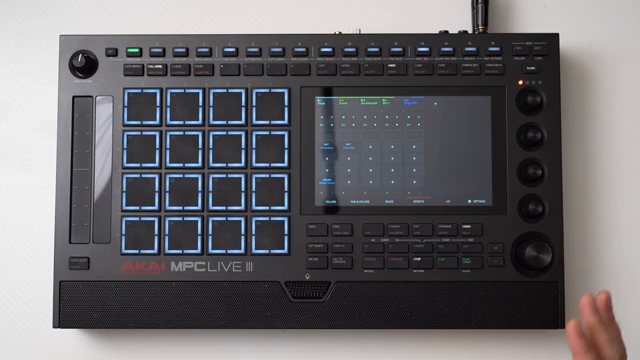
Stepping up the game, Chris introduces the XYFX, painting it as a two-dimensional dream for those who love to experiment. This feature uses the whole screen for X and Y axis control, allowing you to manipulate multiple parameters simultaneously. It’s like riding a beat wave, with height and depth at your beck and call. Chris explains how this opens a world of possibilities, with effects like beat repeat and low-pass filters ready for action. No paint-by-numbers here—each swipe offers new hues to your sound palette. Using effects on individual submixes, like a phaser or flanger, you can tweak each element until it’s sonically sensational. And don’t forget, setting delays on the drum submix adds a bounce to every hit, elevating your beats from street corner to center stage. The XYFX is your ticket to exploring uncharted audio territories.
The Effect Ensemble: Tape Stops, Granulators, and More
Time for a full-blown audio buffet! Chris showcases effects like the beloved tape stop, and wacky granulators, proving these are the spices that make the mundane, magnificent. Whether you’re slowing down your groove for a tape stop that rivals a DJ’s scratch or adding a granulator’s chaotic textures, these effects transform any performance into an audio adventure. Chris notes that while some effects can sound situational, others like a sync delay on drums can be just the missing piece to polish a beat. With the granulator, you’re stepping into the world of unorthodox soundscapes. These effects can be tuned into different styles, whether you’re cooking up EDM bangers or hip-hop hits. They’re not just for show; they reinvent the vibe, making every performance feel fresh. Use them wisely, though—like too much chili, they can overpower the flavor if not done right.
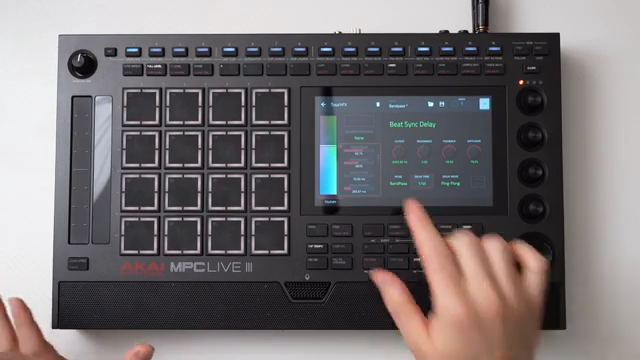
"This would actually probably sound better on the drum submix that would give a little delay to the drums."
© Screenshot/Quote: Chris Laps (YouTube)
Experimentation: The Path to Performance Paradise
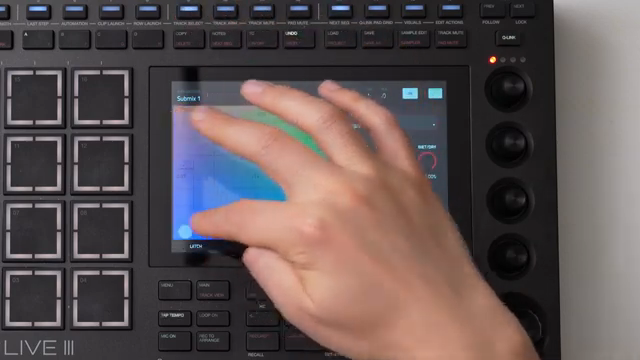
"So I think between using this XY effects and the touch effects, you can kind of perform beats in a fun, interesting way."
© Screenshot/Quote: Chris Laps (YouTube)
Chris wraps things up by urging viewers to take these tools, experiment, and push their musical boundaries. As he says, it’s all about having fun and bringing your unique flair to the table. With TouchFX and XYFX at their disposal, aspiring beatmakers can transform everyday loops into stage-ready sound spectacles. Chris’s approach is inspiring, emphasizing that the essence of music lies in exploration and creativity. Don’t fear the unfamiliar; embrace it and let it guide your production journey. These effects are like keys to your musical mixtape, unlocking endless possibilities and ensuring you’ll never play the same set twice. With Chris leading the charge, finding that sweet spot where rhythm meets revelation has never been more attainable.
This article is also available in German. Read it here: https://synthmagazin.at/chris-laps-ueber-die-bahnbrechenden-effekte-des-mpc-live-3-touchfx-xyfx/
Watch on YouTube:
Latest articles
Watch on YouTube:
Visit the channel:
https://www.youtube.com/Chris_Laps
https://www.youtube.com/Chris_Laps
Sponsored links:
If you purchase via these links, we may earn a small commission – at no extra cost to you. The link opens an Amazon keyword search, and results may vary depending on availability.
MPC Live 3
🔗 Check price on Amazon
🔗 Check price on Amazon