Behringer’s P24 personal mixer aims to put tactile, musician-friendly control front and center with its 80mm faders and streamlined workflow. In this official walkthrough, Behringer demonstrates how the P24 is designed for quick setup, flexible channel modes, and real-time mix adjustments—all without diving into a dense manual. The video walks through everything from wiring and navigation to EQ, reverb, limiter, and talkback, highlighting how the P24 fits into modern monitoring and mixing environments. For those curious about how digital architecture translates into hands-on control, this is a revealing look at Behringer’s approach to accessible, powerful stage mixing.
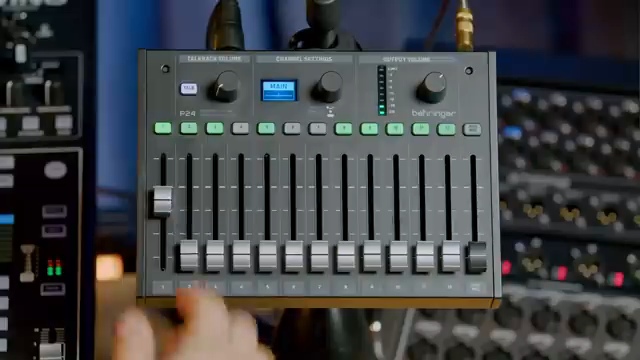
Faders First: The P24’s Tactile Approach
Behringer’s P24 is positioned as a personal mixer that prioritizes hands-on control, with a clear focus on its 80mm faders. The video immediately sets the tone: this is not a device for menu-divers or knob-twiddlers, but for musicians who want fast, physical access to their mix. The P24 is connected via Stage Connect, receiving 24 channels, talkback, and remote power—all over a single cable, which simplifies stage setups considerably.
Monitoring options are flexible, allowing users to connect headphones directly, use a wedge on stage, or route signals through wireless transmitters via the P24 hub. This versatility supports a range of live and studio scenarios, ensuring the P24 can slot into different monitoring workflows. The emphasis here is on reducing setup friction and making the act of mixing as direct as possible.
Channel Modes and Performance Controls: Stereo, Dual Mono, and More
A core strength of the P24, as demonstrated, is its ability to handle different channel configurations: stereo, mono, and dual mono. Each of the 12 stereo groups can be set to any of these modes, either manually via the channel settings layer or automatically if the console is configured accordingly. This flexibility is especially useful for complex sources—dual mono mode, for example, lets users blend two microphones on a kick drum or snare, with the pan pot acting as a balance control rather than traditional panning.
The workflow for selecting and editing channels is straightforward: pressing a channel button selects it, while holding the button accesses deeper settings like mode and naming. The performance layer gives instant access to parameters musicians actually care about—balance, tone, and effects send—while the second layer is reserved for engineer-level tweaks. This dual-layer approach keeps the interface uncluttered during performance, but still allows for detailed configuration when needed.
EQ and reverb are integrated directly into the channel workflow. Each channel features a tilt EQ for quick tonal shaping, and reverb can be activated per channel or globally from the main mix. The process for sending channels to reverb is as simple as pressing the relevant buttons, making it easy to add atmosphere or space to a monitor mix without breaking creative flow.
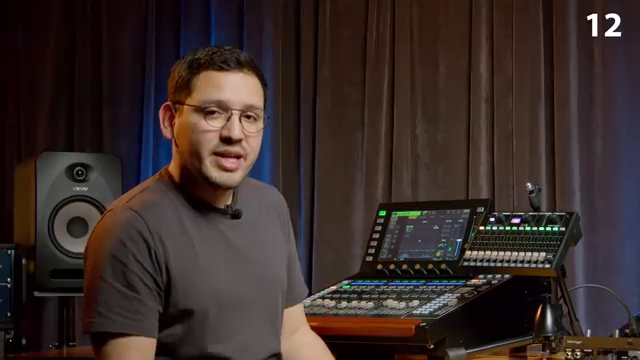
"Each channel has two layers. The first layer you see when pressing a button is a performance layer."
© Screenshot/Quote: Behringer (YouTube)
Setup and Navigation: Fast, Clear, and Musician-Friendly
The P24’s setup process is intentionally streamlined, with the video promising a 30-second path from power-on to mixing. Channel selection, main mix access, and quick toggling between performance and settings layers are all handled via dedicated buttons and intuitive gestures. This reduces the cognitive load on performers, letting them focus on their mix rather than menu navigation.
Navigation is further enhanced by clear visual feedback: output meters update based on the selected channel or main mix, and the fader layout corresponds directly to channel groups. The system’s ability to automatically configure channel modes based on console naming conventions is a thoughtful touch, minimizing manual intervention and potential errors during setup.
Limiter and Talkback: Built-In Tools for Modern Monitoring
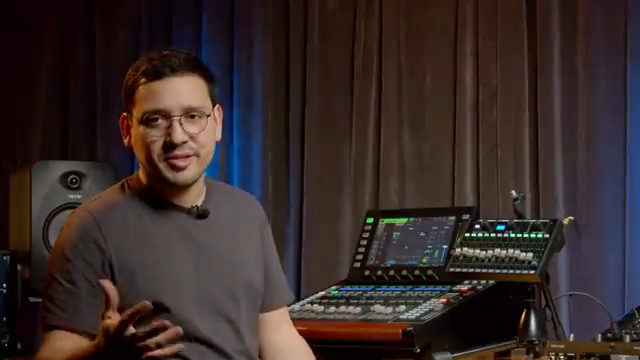
"the first parameter you see in the main mix settings is the limiter threshold, and that will protect your hearing from any sudden peaks."
© Screenshot/Quote: Behringer (YouTube)
Beyond mixing, the P24 incorporates features that address real-world stage and studio needs. The onboard limiter is designed to protect hearing by capping sudden peaks, with its threshold easily adjustable in the main mix settings. Visual cues—like the top LED turning red—make it clear when the limiter is active, providing both safety and confidence during loud performances.
The talkback system is another highlight, supporting both internal and external mics and allowing two-way communication between performers and engineers. The internal stereo mic can even be used to feed stage ambience into in-ear monitors, helping musicians maintain a sense of space and connection to their environment. Both the talkback and auxiliary inputs are easily controlled via dedicated faders and trim controls, ensuring that critical communication and monitoring adjustments are always at hand.
These built-in tools underscore Behringer’s focus on making the P24 not just a mixer, but a comprehensive personal monitoring solution. The video makes it clear that these features are integrated for immediate, practical use—no deep-dive configuration required.
This article is also available in German. Read it here: https://synthmagazin.at/behringer-p24-hands-on-mit-dem-intuitiven-personal-mixer/
Watch on YouTube:
Latest articles
Watch on YouTube:
Visit the channel:
https://www.youtube.com/behringer
https://www.youtube.com/behringer
Links from behringer:
website: https://www.behringer.com
facebook: https://www.facebook.com/Behringer
twitter: https://twitter.com/BEHRINGER
instagram: https://instagram.com/Behringer
Sponsored links:
If you purchase via these links, we may earn a small commission – at no extra cost to you. The link opens an Amazon keyword search, and results may vary depending on availability.
Behringer P24
🔗 Check price on Amazon
🔗 Check price on Amazon