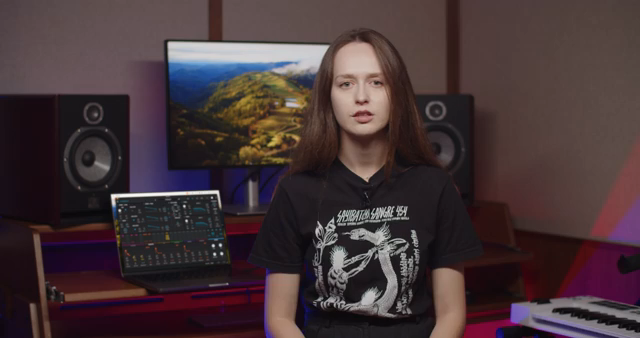
Arturia’s official channel brings us a detailed breakdown of a modern trap track, showcasing the versatile sound design capabilities of Pigments. Guided by Lena, the video walks through each core element—808 bass, plucky arps, lush chords, and dreamy keys—demonstrating how Pigments’ multiple engines and modulation options shape every layer. With a focus on preset customization and creative workflow, this session highlights the architectural depth of Pigments, while keeping the process accessible for both seasoned producers and newcomers. If you’re curious about how digital synthesis and sample layering come together in a DAWless or hybrid context, this breakdown is a must-watch.
31. August 2024
LYRA
Arturia Pigments: Trap Explorations Dissected – A Workflow Deep Dive
Setting the Stage: Trap Dissected with Pigments
Lena opens the session with a clear mission: to unravel the architecture of a trap track built entirely with Arturia’s Pigments. The track, originating from Victor Morello and the Trap Explorations sound bank, serves as a practical showcase for Pigments’ multi-engine design philosophy. Right from the start, the focus is on how each sound is constructed, not just on the end result.
After a brief listen to the track’s extract, Lena frames the breakdown as an exploration of both preset power and hands-on sound design. The video promises to move beyond surface-level tweaks, highlighting how Pigments’ engines and modulation systems can be harnessed for unique sonic signatures. This sets up an expectation for workflow insights, not just a preset parade.
808 Foundations: Wavetable Bass in Action
The backbone of the track is a punchy, deep 808 kick, crafted using Pigments’ wavetable engine and the Goat Sub preset. Lena demonstrates how the wavetable’s sine-like shape is sculpted further with filter envelopes and pitch modulation, giving the bass its signature thump and movement. The workflow here is direct: start with a rich preset, then shape the harmonic content and envelope to taste.
Customization is encouraged, with suggestions to adjust the wavetable position for different harmonic flavors or tweak the pitch envelope to alter the attack and decay. Distortion is presented as a key ingredient for dialing in grit or smoothness, showing how Pigments’ engine parameters can be quickly tailored to fit a mix or personal style.
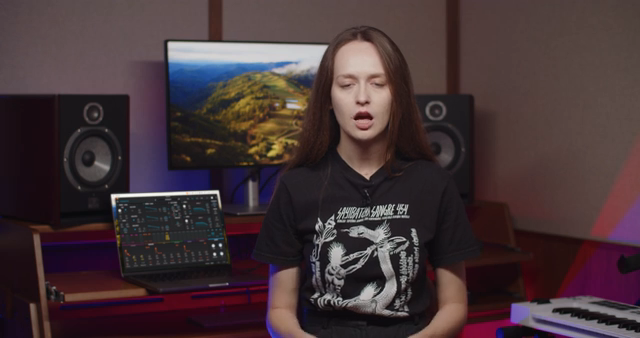
"To customise this preset you might adjust the wavetable position to change the harmonic content, or tweak the pitch envelope to alter the kick's attack and decay."
© Screenshot/Quote: Arturiaofficial (YouTube)
Plucky Arps: Granular Textures and Modular Thinking
"If you don't like to create these modulations yourself, use the pre-mapped macros that alter the tone, landing on sweet spots only."
© Screenshot/Quote: Arturiaofficial (YouTube)
Next up is the plucky arp melody, built using Pigments’ granular engine and the Ear Candy Plaque preset. Lena highlights how a sample with randomized density and modulated filter cutoff forms the core of this sound, illustrating Pigments’ modular approach to synthesis. The workflow invites experimentation, with grain size and density parameters offering a spectrum of textures from tight plucks to airy fragments.
For those less inclined to manual modulation, Pigments’ pre-mapped macros provide instant access to tonal sweet spots. Adjusting filter cutoff and resonance further shapes the pluck’s brightness and punch, making this section a clear example of how Pigments balances deep synthesis with performance-ready controls.
Lush Chords: Layering Samples for Expressive Progressions
The chord progression is a study in digital layering, using the Ivory Touch preset built from two piano samples. Lena explains how these are processed through effects like Bitcrusher and Super Unison, with additional spatial and dynamic effects adding width and movement. The result is a lush, evolving chord sound that demonstrates Pigments’ strength in combining sampling with synthesis.
Personalization is straightforward: swap out the piano samples to radically change the chord’s character, or tweak the effects chain for subtle or dramatic results. This section underscores Pigments’ flexibility as a sound design tool, allowing users to move from preset to personal signature with just a few parameter shifts.
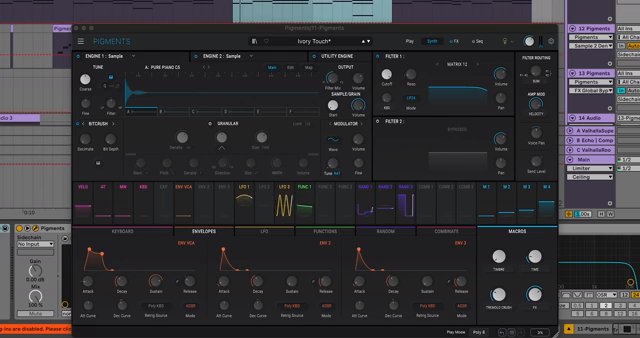
"To make it your own, try swapping out the piano samples for others to change the character of the chord."
© Screenshot/Quote: Arturiaofficial (YouTube)
Dreamy Keys and Beyond: Modulation, Effects, and Final Layers
The final segment explores the Dreamy Keys track, where ethereal textures are crafted using the Distorted Keys preset. Here, two piano samples are layered with distortion and spatial effects, and Lena points out the option to activate granular engines for further tonal manipulation. The interplay between reverb’s wet signal and multiband compression is highlighted as a creative trick, adding bounce and movement to the reverberations for a more animated soundscape.
As the track nears its end, a high-pitched, vocal-esque layer from the Funk Wine preset is introduced. This sound is built from a basic wavetable with legato keyboard mode and glide, serving as a subtle but effective top layer. The workflow remains consistent: start with a preset, then use Pigments’ engine and modulation options to refine or radically transform the sound.
Throughout, the video emphasizes Pigments’ synthesis depth and modulation architecture, but also its accessibility—macros, sample swaps, and engine toggles make complex textures achievable without menu diving. While the session is preset-driven, it offers a clear window into how Pigments’ digital architecture supports both fast results and deep exploration.
This article is also available in German. Read it here: https://synthmagazin.at/arturia-pigments-trap-explorations-seziert-ein-workflow-deep-dive/
Watch on YouTube:
Latest articles
Watch on YouTube:
Visit the channel:
https://www.youtube.com/ArturiaOfficial
https://www.youtube.com/ArturiaOfficial
Links from ArturiaOfficial:
website: https://www.arturia.com
instagram: https://instagram.com/arturia_official
twitter: https://twitter.com/ArturiaOfficial
soundcloud: https://soundcloud.com/arturia-official/albums
Sponsored links:
If you purchase via these links, we may earn a small commission – at no extra cost to you. The link opens an Amazon keyword search, and results may vary depending on availability.
Arturia Pigments
🔗 Check price on Amazon
🔗 Check price on Amazon