Arturia returns with the MiniLab 37, a streamlined 37-key MIDI controller engineered for contemporary music production and performance. Presented by Yetundey, this official overview video walks through the controller’s hands-on interface, from velocity-sensitive slim keys to assignable RGB pads and a crisp OLED display. Arturia leans into workflow-centric design, promising seamless DAW integration, tactile control, and a bundled software suite to accelerate creativity. We dissect what’s shown, focusing on the architecture of the controller, its playability, and how these features translate into real-world studio and live use.
12. June 2026
LYRA
Arturia MiniLab 37: A Compact Controller Architecture for Modern Music Workflows
A Portable DAW Companion
Arturia positions the MiniLab 37 as a versatile and compact controller for modern music creation, targeting both studio dwellers and on-the-go producers. The video opens with an emphasis on the controller’s portability and the promise of more keys without sacrificing desk space—a nod to the practical realities of hybrid and DAWless rigs. There’s an immediate focus on the controller’s hands-on controls and the kind of seamless DAW integration that keeps workflows fluid.
The presenter lays out the intent: this controller is designed not just to trigger notes, but to become a central nervous system for production and performance. The MiniLab 37’s interface is pitched as approachable yet deep, with all the assignable controls from the MiniLab 3 lineage bundled into a more expansive keybed. Arturia’s aim is clear—make this controller the go-to for musicians who want tactile control, minimal menu-diving, and a direct line to their software instruments.
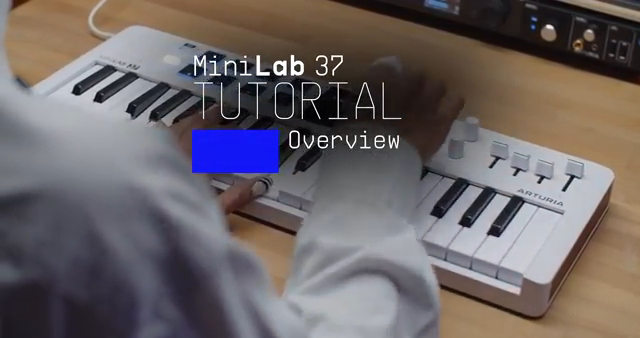
"Minilab 37 is a compact, needy controller made for modern music creation, giving you more keys, intuitive hands-on controls, seamless DAW integration"
© Screenshot/Quote: Arturiaofficial (YouTube)
Hands-On Interface: Keys, Pads, Encoders, Display
"Minilab 37 also features a high-res OLED display showing real-time information about your controls"
© Screenshot/Quote: Arturiaofficial (YouTube)
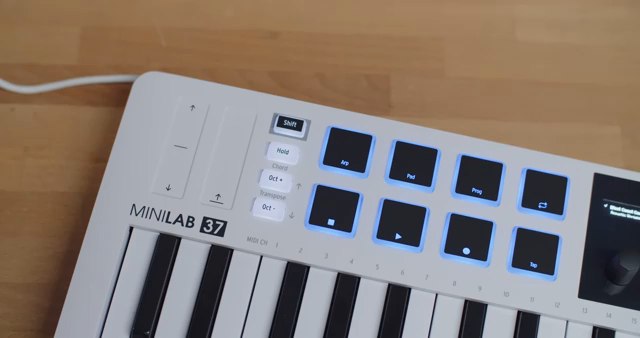
The hardware layout of the MiniLab 37 is methodically demonstrated, starting with the 37 slim, velocity-sensitive keys, which are designed for comfortable playability across basslines, chords, and melodic runs. The inclusion of eight RGB pads—both velocity and pressure-sensitive—stands out for users who demand expressive finger drumming or sample triggering. These pads are split into two banks, expanding creative options depending on DAW context.
Complementing the keys and pads are eight assignable encoders and four faders, intended for everything from synth parameter tweaks to envelope shaping and DAW mixing tasks. The top-left hosts pitch bend and modulation touch strips, while the high-resolution OLED display provides real-time feedback during sound browsing or parameter changes. The hardware connectivity—USB-C, MIDI out, and pedal inputs—rounds out a feature set that’s clearly oriented toward integration with both software and external gear.
Creative Functions: Arpeggiator & Chord Mode
The MiniLab 37’s creative toolkit is anchored by two features: an arpeggiator and a chord mode, both accessible through shift-modified controls. The arpeggiator transforms any held chord or note into a looping sequence, with control over playback order (up, down, random), time division, swing, gate length, and octave range. This is all managed via a dedicated menu, offering a rhythmic and melodic engine for spontaneous ideas.
Chord mode enables full chords to be triggered with a single key press. Users can customize chord shapes by playing up to sixteen notes, which the MiniLab 37 then memorizes for instant recall. Switching between arpeggiator and chord mode is straightforward, with the OLED display providing guidance during setup and editing.
Both functions are positioned as performance and compositional tools, allowing quick access to complex musical textures without deep menu navigation. The video demonstrates these features in action, underscoring their immediacy for live performance and rapid sketching in the studio.
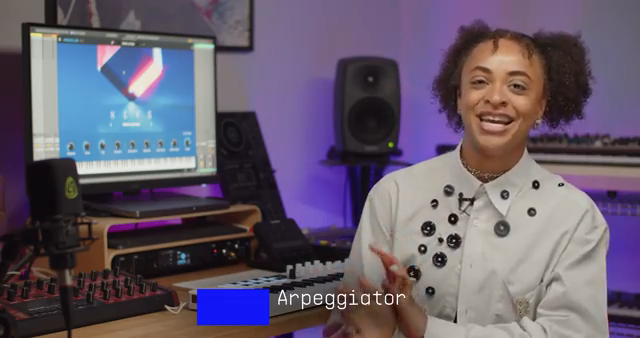
"It turns any note or chord into a repeating sequence that loops automatically."
© Screenshot/Quote: Arturiaofficial (YouTube)
Seamless DAW Integration: Mouse-Free Control
A central selling point in the presentation is the MiniLab 37’s integration with major DAWs such as Ableton Live, Bitwig, Cubase, Logic, and FL Studio. Once connected, the controller automatically maps its encoders, faders, and pads to DAW functions and software instrument parameters, dramatically reducing the need for mouse interaction. This mapping is highlighted as a way to stay in the creative zone, with tactile tweaks translating instantly to software changes.
The video also points to further resources for more advanced integration—specifically, a dedicated tutorial series for the MiniLab 3 lineup. The implication is that users can extend and customize their MiniLab 37 experience, with the controller acting as an adaptable surface for diverse production environments.
Bundled Software and Customization Ecosystem
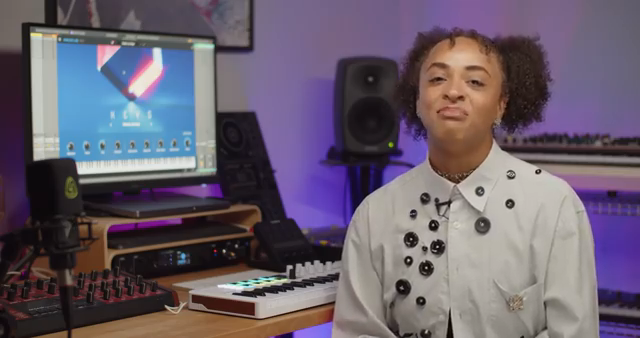
"Minilab 37 is also fully configurable via MIDI Control Center, a free app available when you register your purchase."
© Screenshot/Quote: Arturiaofficial (YouTube)
The out-of-the-box experience for MiniLab 37 is bolstered by a substantial software bundle. This includes Analog Lab Intro (Arturia’s curated library drawn from V Collection and Pigments), Ableton Live Lite, Native Instruments Komplete Select, and subscriptions to Loopcloud and Melodics. The aim is to provide immediate creative tools for production, sound design, and learning.
Customization and firmware updates are handled via the free MIDI Control Center app, which lets users tailor the controller’s mappings and keep the system up to date. This ecosystem approach positions the MiniLab 37 as not just hardware, but as part of a broader, evolving workflow for modern producers.
This article is also available in German. Read it here: https://synthmagazin.at/arturia-minilab-37-eine-kompakte-controller-architektur-fuer-moderne-musik-workflows/
Watch on YouTube:
Latest articles
Watch on YouTube:
Visit the channel:
https://www.youtube.com/ArturiaOfficial
https://www.youtube.com/ArturiaOfficial
Links from ArturiaOfficial:
website: https://www.arturia.com
instagram: https://instagram.com/arturia_official
twitter: https://twitter.com/ArturiaOfficial
soundcloud: https://soundcloud.com/arturia-official/albums
Sponsored links:
If you purchase via these links, we may earn a small commission – at no extra cost to you. The link opens an Amazon keyword search, and results may vary depending on availability.
MiniLab 37
🔗 Check price on Amazon
🔗 Check price on Amazon