Arturia’s KeyStep 37 mk2 steps confidently into the world of hybrid music-making, offering a hands-on MIDI controller that bridges the gap between software, hardware, and semi-modular synths. In this official Arturia walkthrough, Leona demonstrates how the KeyStep 37 mk2 adapts to a variety of setups—whether you’re sequencing soft synths in your DAW, tweaking desktop hardware, or patching into a modular rig. The focus is on workflow clarity: each connection type is shown in isolation, highlighting the controller’s role as a versatile hub for modern producers who demand both immediacy and deep modulation control. This is not just a keyboard—it’s an architectural tool for building your own hybrid rig, one connection at a time.
17. March 2026
LYRA
Arturia KeyStep 37 mk2: The Digital Conductor for Hybrid Synth Workflows
One Controller, Three Worlds
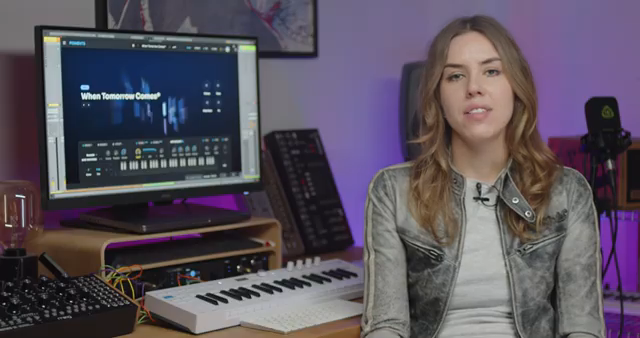
Arturia positions the KeyStep 37 mk2 as a Swiss Army knife for the modern studio, capable of unifying disparate elements in a hybrid setup. The video opens with a clear promise: this controller isn’t just for one type of instrument, but is designed to move fluidly between software, hardware, and semi-modular environments.
Leona’s approach is methodical, introducing each workflow in isolation. This structure highlights the KeyStep 37 mk2’s adaptability, making it easy to understand how each connection—USB, MIDI, or CV/gate—serves a distinct role. For users juggling multiple synth worlds, this is a welcome, architectural perspective that demystifies the controller’s place in a complex rig.
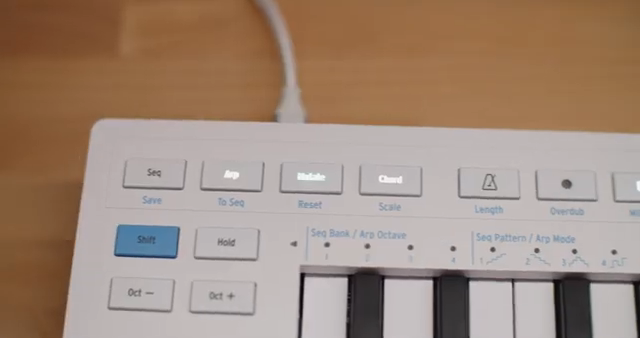
"This way you can clearly see how each connection type works on its own."
© Screenshot/Quote: Arturiaofficial (YouTube)
Plug and Play: USB and DAW Integration
"This is the most straightforward setup and works great for composing, sound design and recording MIDI performances directly into your DAW."
© Screenshot/Quote: Arturiaofficial (YouTube)
The first workflow is the most familiar to many: connecting the KeyStep 37 mk2 to a computer via USB. The process is as plug-and-play as it gets—the DAW recognizes the device instantly, and setting up a software instrument is straightforward. The controller transmits note, velocity, aftertouch, and modulation data, ensuring expressive performances right out of the box.
This setup is ideal for composing, sound design, and recording MIDI performances directly into your DAW. Arturia’s demonstration underscores how the KeyStep 37 mk2 doesn’t just send basic MIDI—it supports nuanced playing, making it suitable for both quick sketches and more detailed studio work. The workflow is direct, with no menu-diving or complex configuration required.
Hands-On Hardware: MIDI Control for Desktop Synths
Moving into hardware territory, the KeyStep 37 mk2 connects to desktop synths via standard MIDI. The process is straightforward: MIDI out from the controller to MIDI in on the synth, with both devices set to the same channel. This maintains the tactile playing experience, but now you’re interacting with real hardware.
The video highlights that the controller’s modulation strip, aftertouch, and knobs can send MIDI CCs, provided the external synth responds to them. This means hands-on control isn’t lost when moving from software to hardware. The playing feel remains consistent, which is a subtle but important architectural choice for hybrid setups.
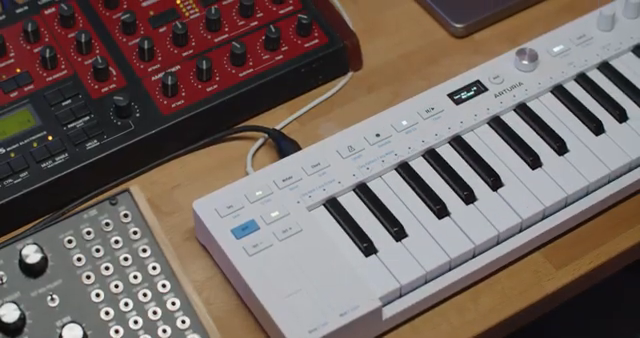
"This setup is perfect when you want hands-on control of hardware while keeping the same playing feel as your software instruments."
© Screenshot/Quote: Arturiaofficial (YouTube)
CV, Gate, and Modulation: Unlocking Semi-Modular Power
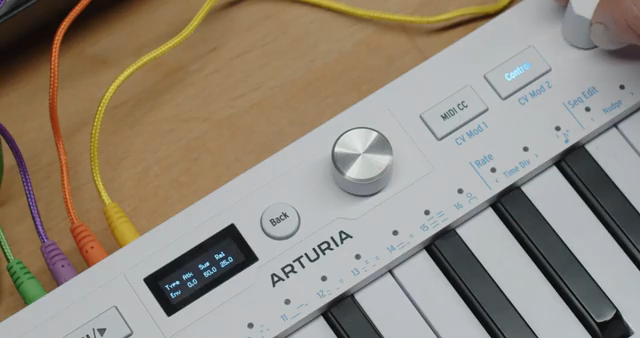
"This means the keyboard becomes the modulation brain for your semi-modular synth."
© Screenshot/Quote: Arturiaofficial (YouTube)
The third workflow is where the KeyStep 37 mk2 reveals its depth: controlling a semi-modular synth via CV and gate. The video demonstrates connecting pitch CV and gate outputs to a Mother 32, handling note and trigger information in classic analog fashion. But the real power lies in the two assignable Mod CV outputs.
Leona shows how Mod 1 and Mod 2 can be patched to control parameters like filter cutoff and VCA level. Accessing modulation assignment is a matter of holding Shift and pressing the relevant CV Mod button, then using the four knobs to select the modulation source and behavior. For example, Mod 1 can be mapped to the modulation strip for real-time filter sweeps, while Mod 2 can be assigned to an LFO, with rate, shape, and depth adjustable directly from the KeyStep.
Crucially, the modulation sources aren’t limited to LFOs. The KeyStep 37 mk2 can generate random, envelope-based, or performance-driven modulation—including aftertouch and velocity. This transforms the controller into the “modulation brain” of a semi-modular setup, enabling dynamic, evolving patches without ever touching the synth itself. The workflow is both immediate and deep, with the controller acting as a central architect for sound movement.
This article is also available in German. Read it here: https://synthmagazin.at/arturia-keystep-37-mk2-der-digitale-dirigent-fuer-hybride-synth-workflows/
Watch on YouTube:
Watch on YouTube:
Visit the channel:
https://www.youtube.com/ArturiaOfficial
https://www.youtube.com/ArturiaOfficial
Links from ArturiaOfficial:
website: https://www.arturia.com
instagram: https://instagram.com/arturia_official
twitter: https://twitter.com/ArturiaOfficial
soundcloud: https://soundcloud.com/arturia-official/albums
Sponsored links:
If you purchase via these links, we may earn a small commission – at no extra cost to you. The link opens an Amazon keyword search, and results may vary depending on availability.
Arturia KeyStep 37 mk2
🔗 Check price on Amazon
🔗 Check price on Amazon