Tired of the same old vocal recording tutorials that drone on about gear and forget the human? Andrew Chapman Creative flips the script, showing why being a ‘good hang’ in the studio matters more than your mic’s price tag. This video is a crash course in artist comfort, gear choices that actually make a difference, and real-world tricks for wrangling sibilance and proximity effect. There’s even a mix competition with actual prizes—so you can put your skills (and ego) on the line. If you want the gritty, practical truth about recording vocals, this is your rave bunker.
10. December 2025
SPARKY
Andrew Chapman Creative: How to Make Vocal Sessions Not Suck (and Maybe Even Win Stuff)
A-Designs P1 Preamp, Chandler TG2 Preamp, Dachman Audio DA67, Dachman Audio DA87SE
Vibes Over Voltage: Studio Psychology 101
Let’s get one thing straight: you can own all the boutique gear in the world, but if your artist feels like they’re in a dentist’s waiting room, your session’s dead on arrival. Andrew Chapman Creative kicks off by torching the myth that gear is everything, hammering home that performance is king and comfort is the secret sauce. Forget compressor settings—if the singer’s tense, your track will sound like it was recorded in a broom cupboard.
Chapman’s advice is refreshingly blunt: be a good hang. That means showing your artist where the loo is, keeping your hands off the gear for the first minute, and actually talking to them like a human. Some want to dive in, others need to chill—so read the room and follow their lead. It’s not just about getting a better take; it’s about making the whole process less of a toaster-fight and more of a jam session. Repeat clients? That’s just the bonus round.
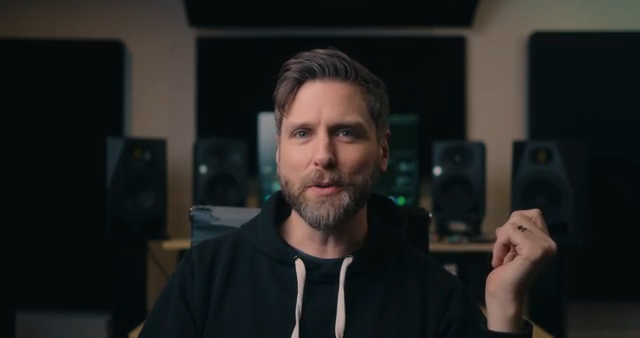
"The most important thing is that you need to be a good hang."
© Screenshot/Quote: Andrewchapmancreative (YouTube)
Mic Wars: DA67 vs DA87 and the Preamp Smackdown
"No, Dockman Audio is not sponsoring this video. I would not make a dime if you purchased one of their microphones."
© Screenshot/Quote: Andrewchapmancreative (YouTube)
Now for the gear heads: Chapman doesn’t shy away from the kit, but he’s not here to sell you snake oil. He runs two mics—the Dachman Audio DA67 with a vintage Telefunken tube, and the DA87SE—no sponsorship, no affiliate hustle. The DA67 gets paired with the A-Designs P1 preamp for warmth and smoothness, while the DA87SE goes through the Chandler TG2 for a bit of top-end sizzle. Each combo is chosen for how it shapes the vocal, not just for brand bragging rights.
The breakdown is practical: the DA67/P1 setup keeps things smooth and open without getting harsh, perfect for taming sibilance. The DA87SE and Chandler TG2, on the other hand, add brightness without turning the top end into a cheese grater. Chapman’s tested these chains on his own voiceovers and gets compliments every time. It’s not about chasing vintage unicorns—it’s about matching the right tools to the right voice.
Placement Games: Sibilance, Proximity, and Polar Patterns
Mic placement isn’t just a dark art—it’s half the battle. Chapman demonstrates how a simple hand test can reveal where those pesky T’s and S’s are firing, and how angling the mic can save you hours of de-essing hell. If your sibilance is out of control, just raise the mic and tilt it down. No need for plugin voodoo—just physics and common sense.
Proximity effect? Chapman keeps it real: six to eight inches is the sweet spot for most rock vocals, but it’s all taste. Get too close and you’ll drown in boom and breathiness, especially after compression. He even drops a pro tip: use a pop filter on a separate stand as a visual marker to keep your artist in the zone. And when it’s time for gang vocals, flipping the DA67 to omni and moving bodies around the mic creates that big, room-filling sound. If you want to see the real difference, you’ll have to watch the video—words can’t do justice to the sonic chaos.
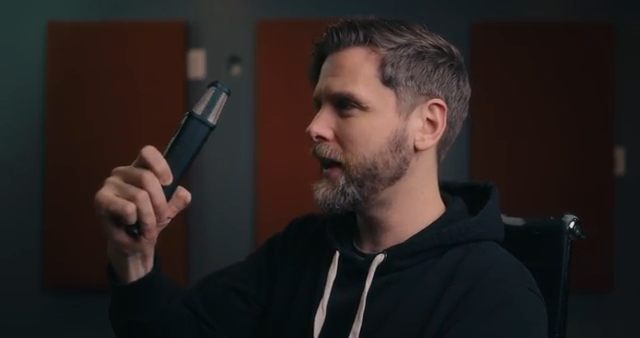
"If you are noticing that with your vocalist, just take the microphone, go up a little, and then angle it down."
© Screenshot/Quote: Andrewchapmancreative (YouTube)
Mix Competition: Put Up or Shut Up
"You don't have to be a paying Patreon member to access these raw files."
© Screenshot/Quote: Andrewchapmancreative (YouTube)
Here’s where things get spicy: Chapman throws down the gauntlet with a full-on mix competition. Download the multitracks (no Patreon paywall), flex your mixing chops, and you could snag prizes or even land your name in the song credits. There’s talk of headphones, interfaces, maybe even cooler swag if the stars align.
It’s not just a vanity contest—if your mix slaps, it could end up on streaming platforms. But don’t get cocky; the band has final say. Either way, it’s a killer chance to test your skills against the internet’s best (and worst). Check the pinned comment for updates and get ready to enter the sonic street fight.
Session Reality: Producer Moves and Creative Grit
Chapman’s session walkthrough is a goldmine for anyone tired of sterile, step-by-step tutorials. He shows how the producer’s job goes beyond engineering—sometimes you’re coaching the artist to push harder on high notes, sometimes you’re doubling harmonies for that 3D spread. But he’s quick to remind you: stay in your lane. Some artists want feedback, others just want to get on with it. The Del Cobras, in this case, were up for creative back-and-forth, making the session a true collaboration.
The real-world insights are thick: from swapping places during gang vocals to experimenting with mic positions for spatial magic, it’s all about using the room and the people in it. Chapman’s style is practical, honest, and never precious about the process. If you want the full flavour—audio samples, session banter, and all the messy details—you’ll need to dive into the video itself. Trust me, the written word can only take you so far into this rave bunker.
This article is also available in German. Read it here: https://synthmagazin.at/andrew-chapman-creative-so-klingen-vocals-wirklich-fett-und-vielleicht-gewinnst-du-sogar-was/